
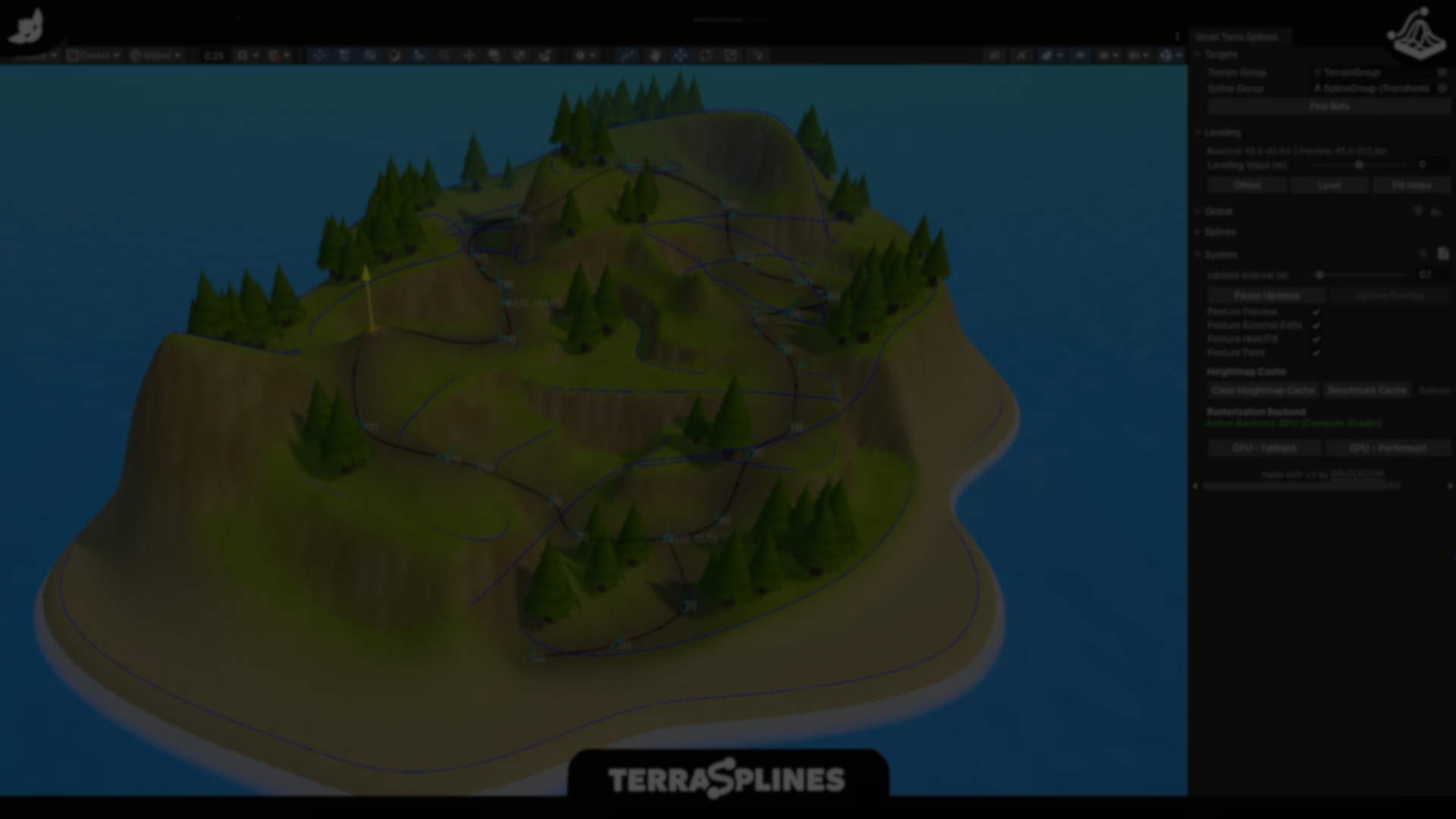
TerraSplines: A Spline-Based, Non-Destructive Terrain Editor for Unity.
by Jettelly
Published |
Unity’s built-in Terrain tools are powerful, but they are largely brush-driven and destructive by default. Once a heightmap is modified, reverting or iterating often means manual cleanup or undoing a long chain of changes. With the growing adoption of Unity’s Splines package, a different approach to terrain editing has started to emerge.
TerraSplines is a Unity editor tool developed by GRUELSCUM that applies spline-based workflows to terrain modification. Instead of sculpting terrain directly with brushes, it lets developers define paths and shapes using splines, then apply height, paint, hole, and fill operations in a controlled and reversible way. The emphasis is on iteration and structure, rather than one-off sculpting.
Spline-Driven Terrain Editing
At its core, TerraSplines operates on the idea that splines should drive terrain changes. Splines define where an operation happens, while the tool handles how that operation affects the terrain.
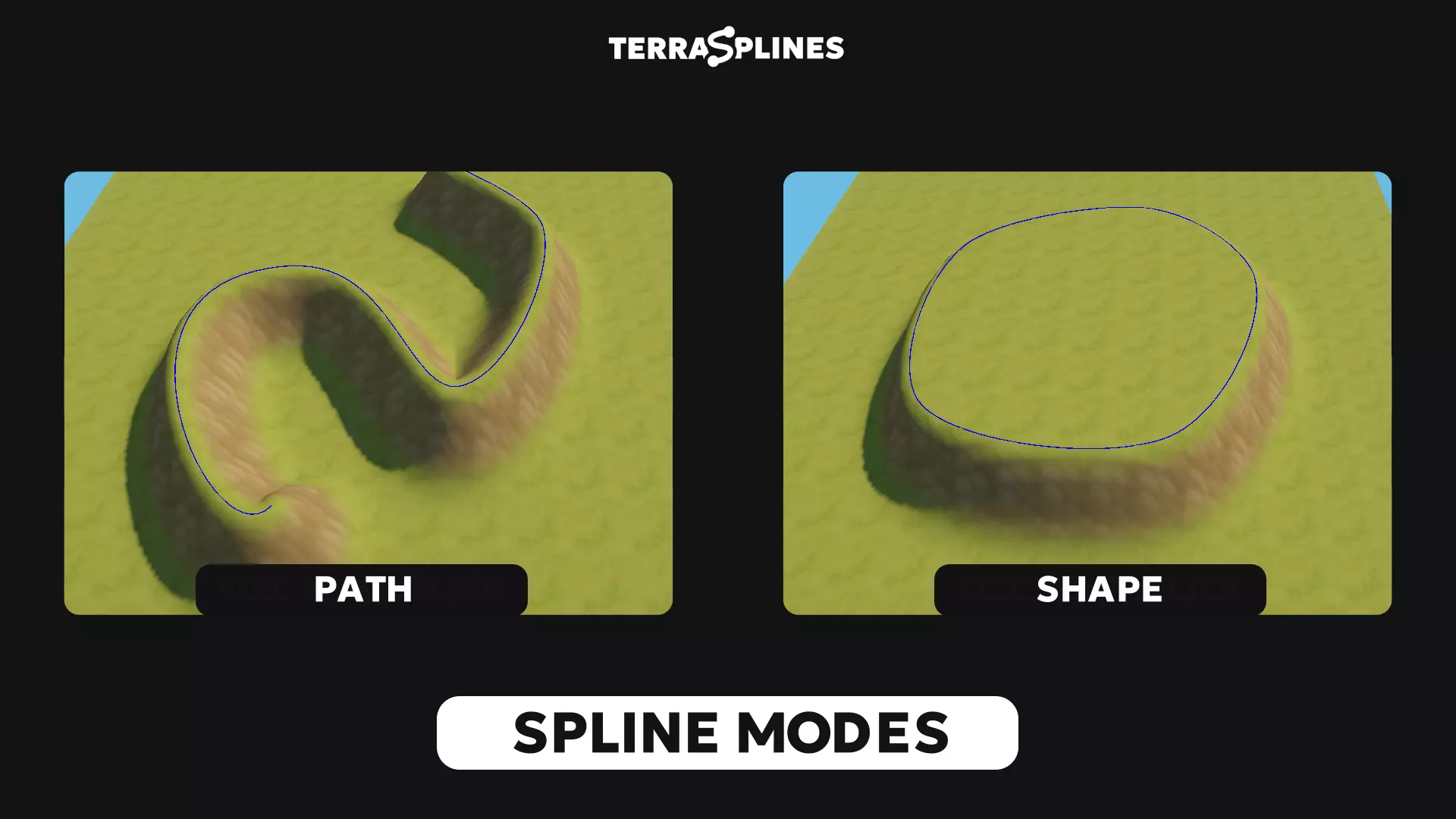
Two primary spline modes are supported:
- Path mode, which follows the spline curve and is suited for roads, rivers, trails, and linear features.
- Shape mode, which fills closed spline areas, making it useful for plateaus, foundations, valleys, or flattened zones.
These modes act as containers for terrain operations rather than being operations themselves. Height adjustment, texture painting, hole cutting, and filling can all be applied through the same spline structure.
Supported Terrain Operations
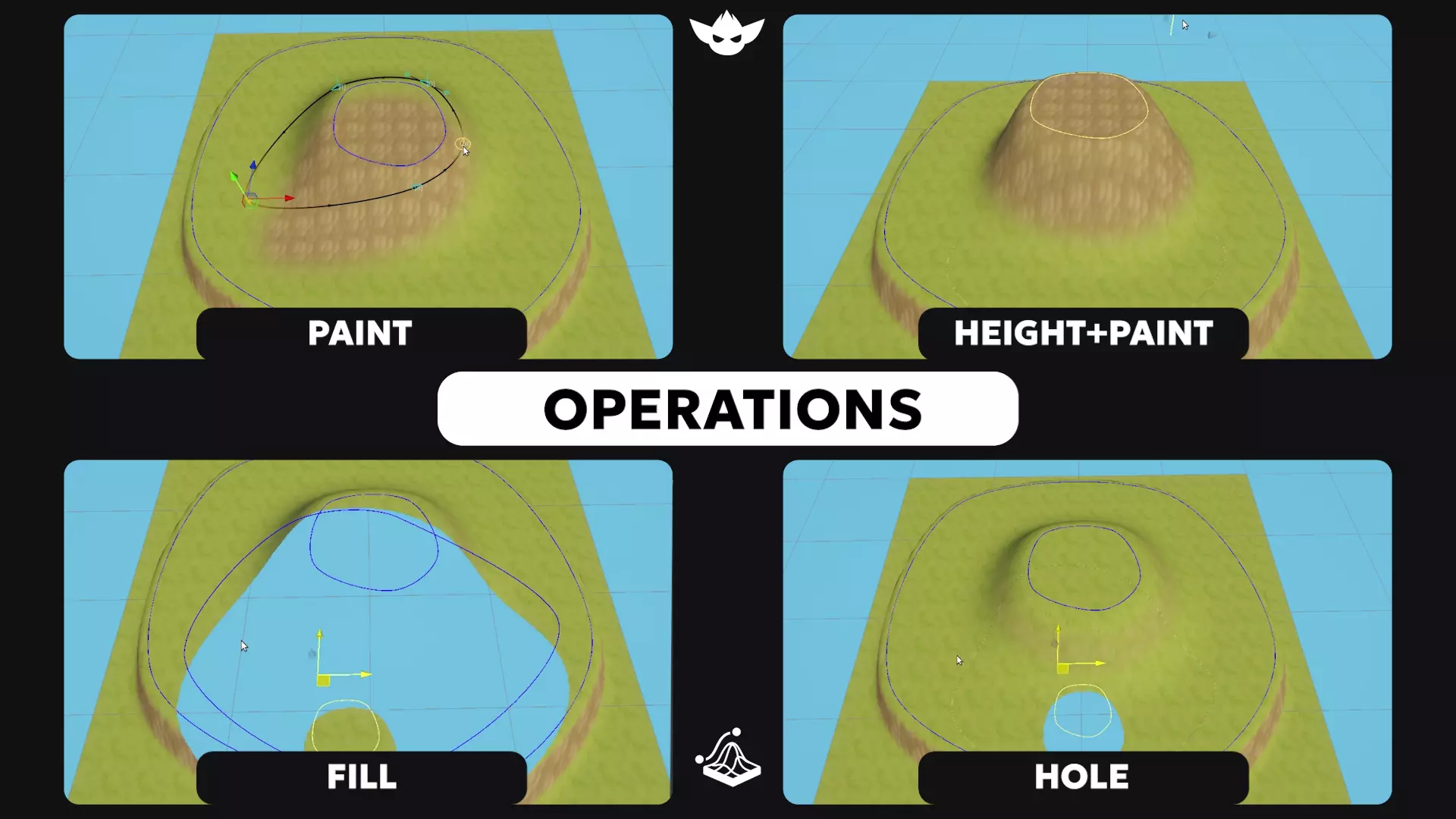
TerraSplines exposes several terrain operations that can be combined per spline:
- Height: Raise or lower terrain along a spline-defined area.
- Paint: Apply terrain layers using spline-based coverage.
- Height + Paint: Combine elevation changes and texture painting in a single pass.
- Hole: Cut holes into the terrain mesh.
- Fill: Restore previously modified terrain areas.
Each operation can be configured globally or per spline, allowing multiple splines to coexist with different priorities and behaviors. This makes it possible to layer terrain logic without committing changes immediately.
Non-Destructive Preview Workflow
One of TerraSplines’ defining characteristics is its non-destructive workflow. Terrain changes are previewed first and only become permanent once explicitly applied.
While the tool window is open, TerraSplines generates preview data that reflects how the terrain would look if changes were committed. Update intervals can be adjusted or paused entirely to balance responsiveness and performance in complex scenes.
This approach allows developers to experiment freely, reposition splines, adjust brush parameters, or disable operations without altering the underlying heightmap until they decide the result is final.
Multi-Terrain and Performance Considerations
TerraSplines supports working across multiple terrain objects at once, including adjacent terrains. This is useful for large scenes that rely on tiled terrain setups. Changes propagate across all assigned terrains, although real-time preview performance scales with scene complexity.
The tool provides both GPU and CPU backends for terrain rasterization. GPU mode is intended for faster previews on supported hardware, while CPU mode serves as a fallback for compatibility. Feature toggles allow unused systems such as painting or hole operations to be disabled to reduce overhead during editing.
The documentation also notes that scenes with many splines or terrains may require switching to manual updates, reinforcing that the tool is optimized for controlled iteration rather than continuous real-time updates in every scenario.
Editor Integration and Tooling
TerraSplines integrates directly into the Unity editor, providing:
- Scene View overlays for spline editing
- Per-spline settings with a priority system
- Full undo and redo support
- Cache inspection and rebuild options
- Detection of external terrain edits (marked as experimental)
The tool relies on Unity’s Splines package and Terrain Tools, aligning it with existing editor systems instead of introducing a parallel workflow.
Where TerraSplines Fits Best
TerraSplines is most relevant for teams and developers who:
- Prefer structured terrain changes driven by paths and shapes
- Need to iterate on terrain layouts without committing early
- Work on stylized environments or rapid prototypes
- Use multiple terrain tiles in a single scene
Similar and Useful Alternatives
- Curvy Splines 8: A Unity asset that provides a powerful spline creation and editing toolkit, letting you draw 3D curves, train tracks, roads, and procedural shapes along splines. It pairs well with terrain tools to define routes or shape features.
Differences: Curvy Splines excels at creating and controlling splines and curves but doesn’t directly deform terrain itself. TerraSplines directly modifies the terrain height, holes, fill and paint based on splines, combining curves with terrain shaping in one tool.
- Terrain Composer 2: A comprehensive terrain creation system for Unity with procedural generation, megascale landscapes, layered biomes and painting tools. It includes some path/feature support and more advanced terrain generation pipelines.
Differences: Terrain Composer 2 is a full procedural terrain generator ideal for creating large worlds and layered ecosystems. It is heavier and broader than TerraSplines, which is lightweight and specifically focused on interactive spline-driven terrain edits.
✨ TerraSplines - Spline Terrain Editor is now available on the Unity Asset Store.
📘 Interested in building your own tools and shaders in Unity? Check out the Unity Tool Development Bundle, which includes Shaders & Procedural Shapes in Unity 6 and Unity 6 Editor Tools Essentials.
📘 Interested in building your own tools and shaders in Unity? Check out the Unity Tool Development Bundle, which includes Shaders & Procedural Shapes in Unity 6 and Unity 6 Editor Tools Essentials.
Math + Procedural shapes + Tools in Unity! If you're into technical art, this Bundle is what you need 🔗 https://t.co/MflVh7KJnp#unity3dgamedevelopment #indiedevs #gamedevs pic.twitter.com/LHN2ci83SN
— The Unity Shaders Bible (@ushadersbible) November 8, 2025
Jettelly wishes you success in your professional career!
Did you find an error? No worries!
Write to us at [email protected], and we'll fix it!

Level up your Technical Art skills! Grab our bundle and start learning today.
We invite you to explore "Unity Tool Development Bundle", a comprehensive bundle on the concepts and fundamentals seen in this post.
Other posts that might interest you.
-
 We take a look at Universal Animation Library 2, a CC0 animation pack built around a universal humanoid rig and designed to work across Godot, Unity, and Unreal Engine.
 -
 We take a look at Unity Runtime Terrain, a lightweight system that exposes Unity’s built-in terrain editing features for use directly during play mode.
 -
 We take a look at a paid Unity sky system focused on day-night cycles and seasonal lighting, designed to stay lightweight.
