
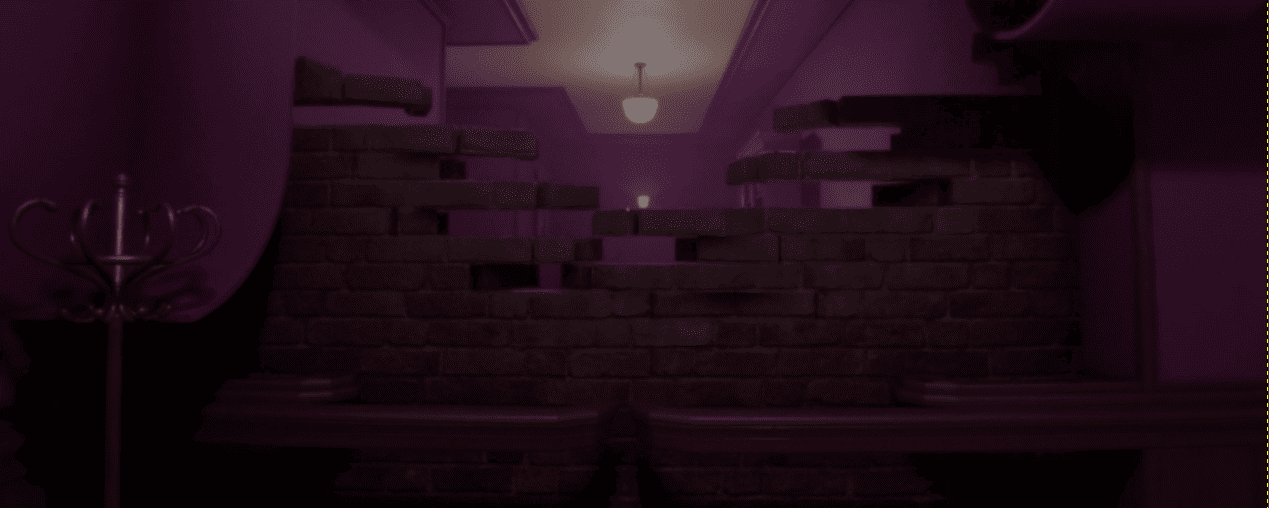
Tiberiu Stefan from Ablaze Interactive showed us how they created the wall transformation effect from Psych Rift, an upcoming horror game built in Godot.
The effect uses Vertex Animation Textures, or VAT: the movement of each vertex gets baked into a texture, and the shader reads that texture to recreate the animation. This makes it very efficient for complex effects.
The wall transformation is made of two separate VAT meshes:
- The outer wall surface
- The brick wall underneath
They were split to keep each mesh below 4096 vertices, which is the limit Tiberiu used for this setup.
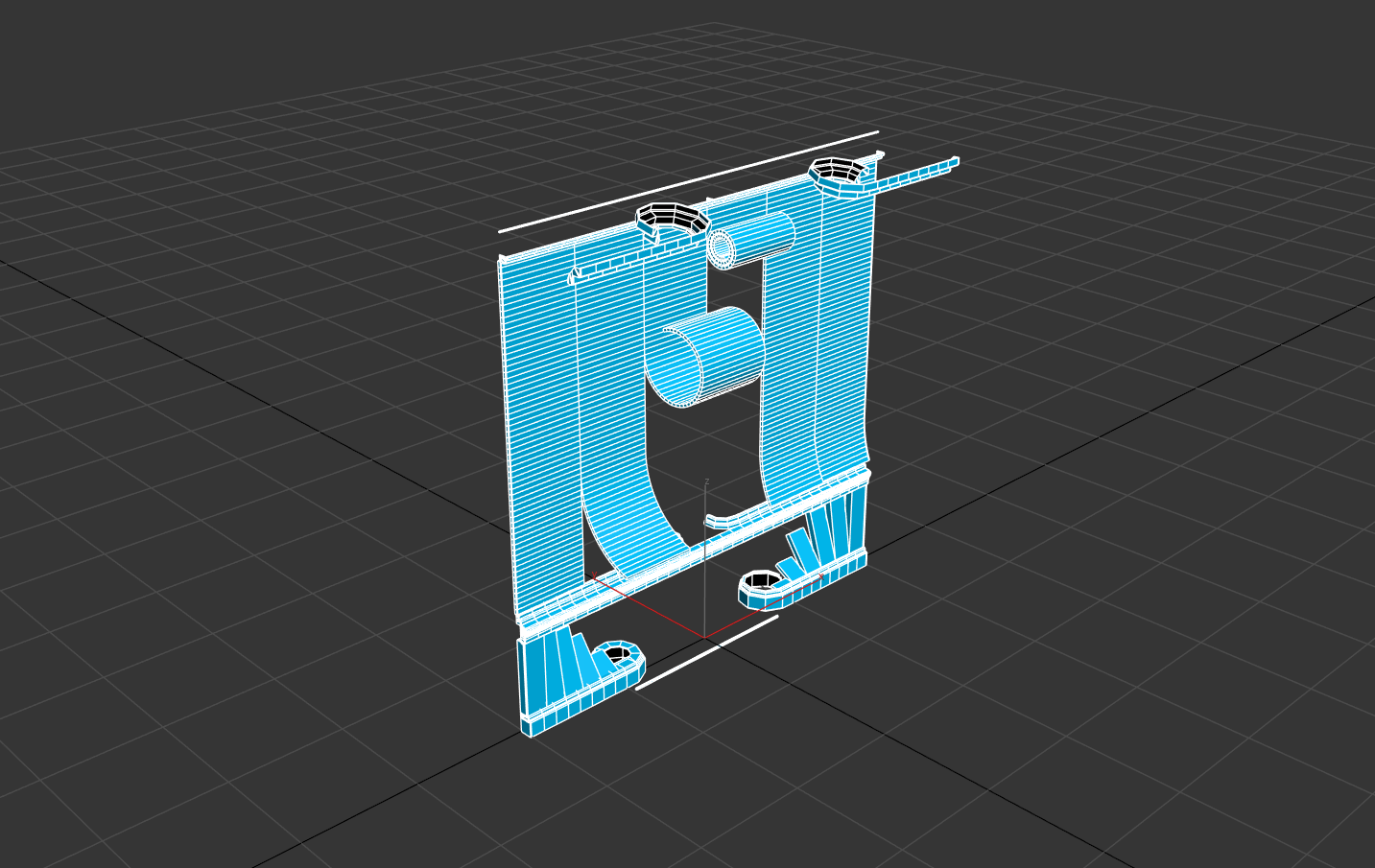
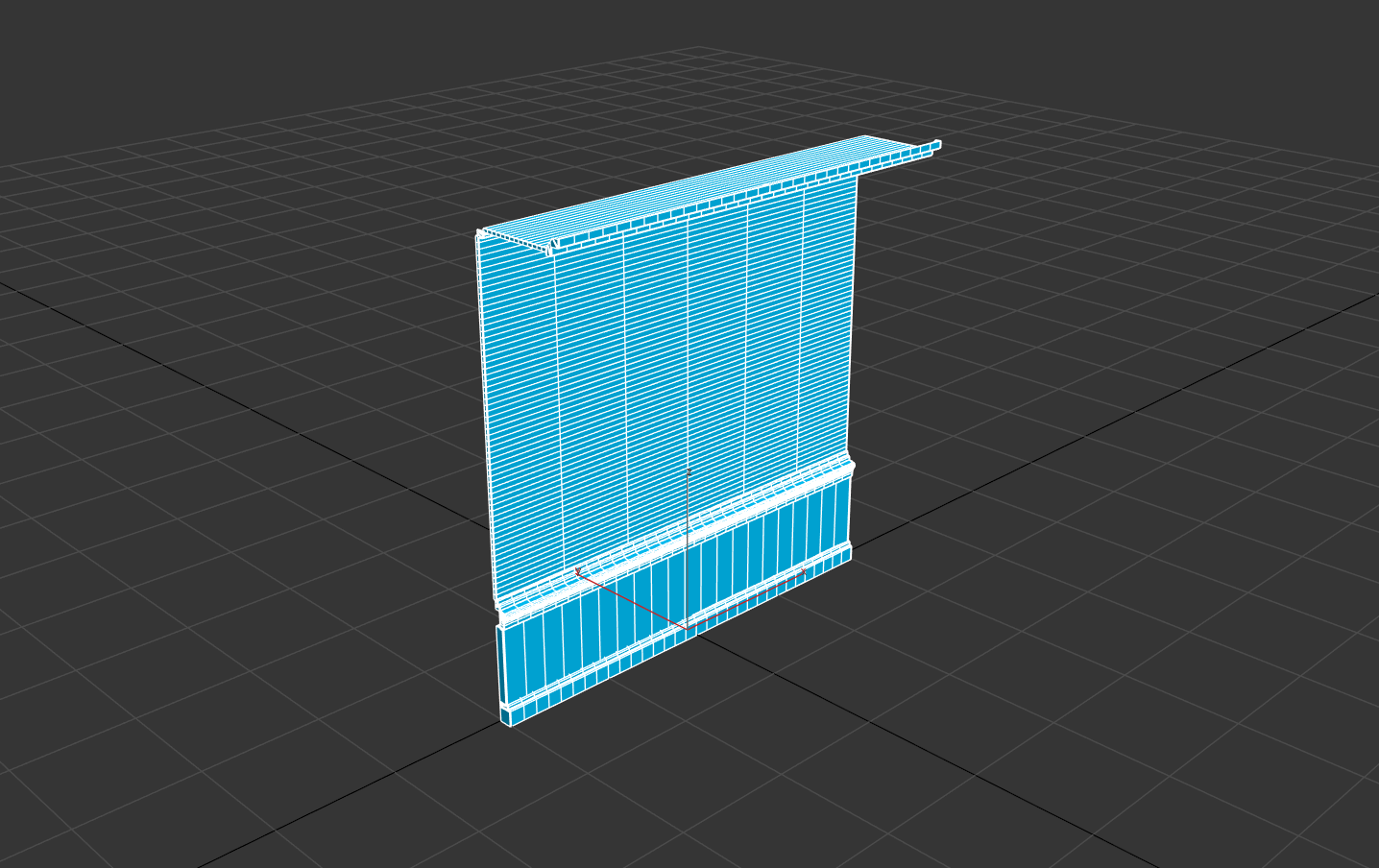
The outer wall surface has 4016 vertices and was animated in 3ds Max using modifiers like XForm and Bend.
According to Tiberiu, the final modifier stack ended up using 65 modifiers to achieve the transformation they were looking for.
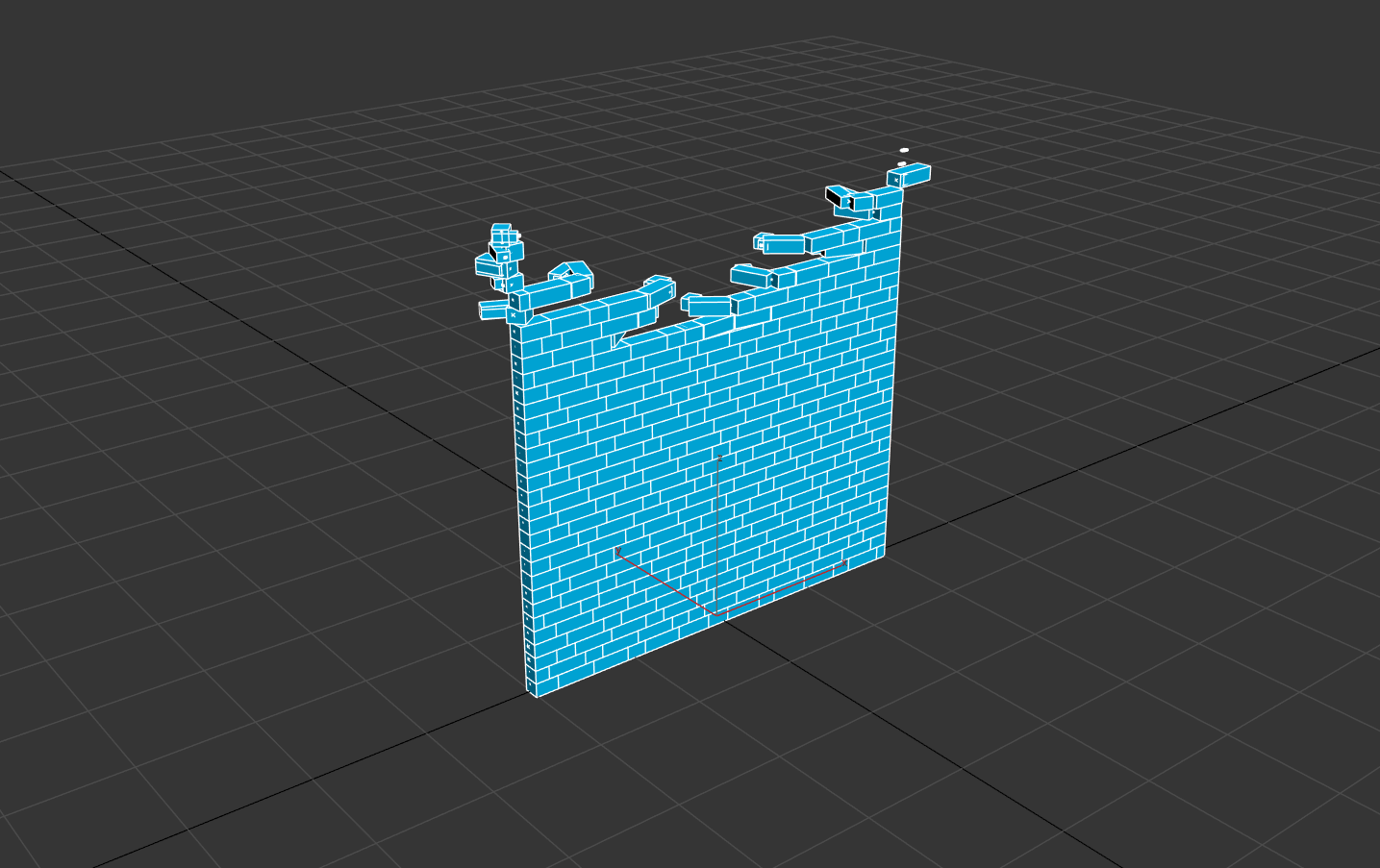
The brick wall is a different story. It has 437 individual bricks and 3496 vertices. Tiberiu rigged all the bricks with bones, which made the animation easier to control.
VAT comes with a few restrictions. The entire animation has to stay inside a single mesh, and the topology cannot change from one frame to the next.
It also requires a special UV layout on UV channel 2. Tiberiu made this using a small script, which links each vertex to its position in the VAT texture.
It also requires a special UV layout on UV channel 2. Tiberiu made this using a small script, which links each vertex to its position in the VAT texture.
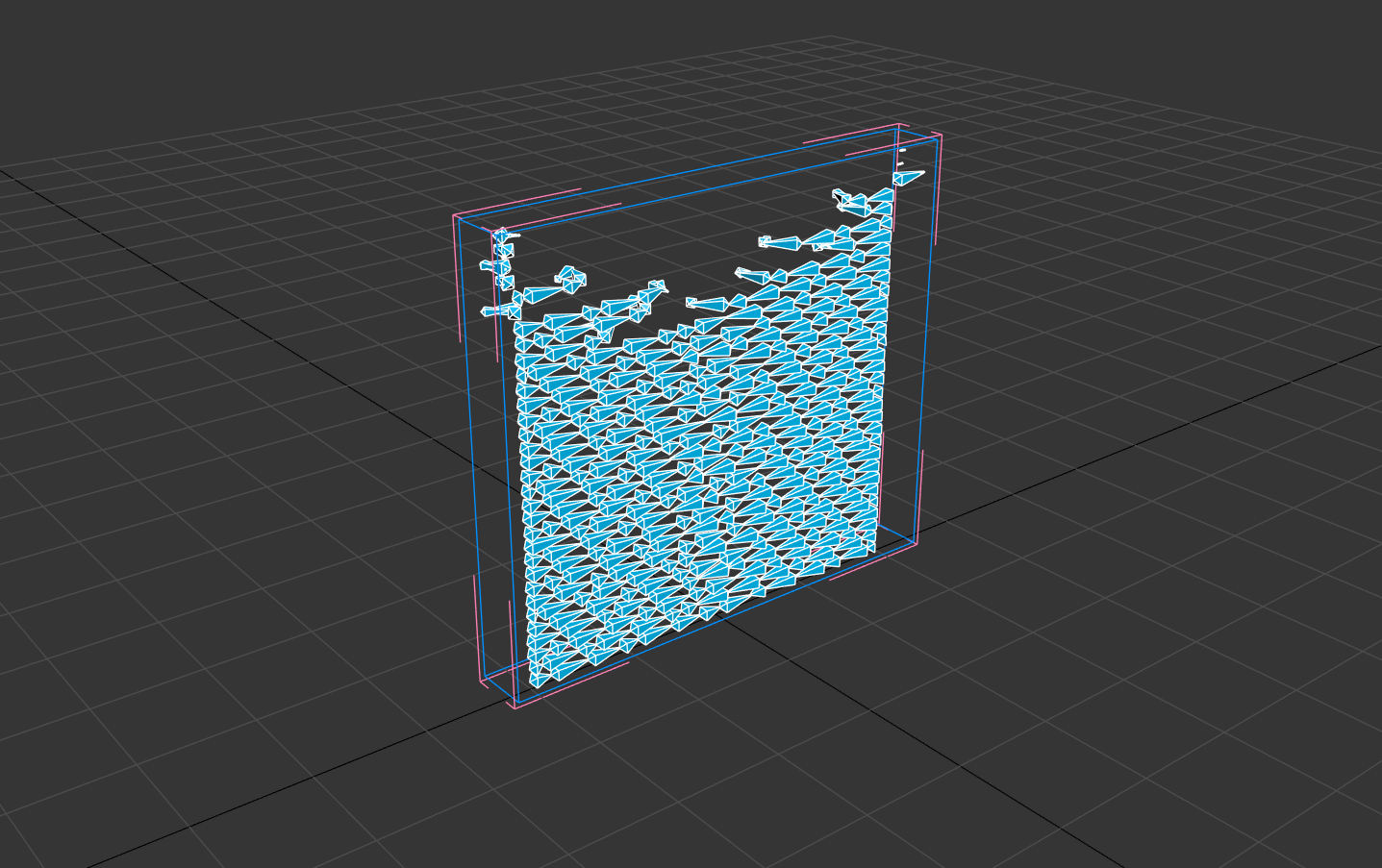
Tiberiu generates the VAT textures using tyFlow and uses them in Godot as .exr files. These textures need to stay uncompressed, since any compression ruins the vertex data inside them.
For example, the wall surface needed 85 frames to avoid artifacts. The brick wall needed 45.
One recent improvement was moving the flat normal calculation into the shader. Before this change, normals had to be baked into the VAT texture, which doubled the memory cost.
Now the shader calculates them itself, cutting the VRAM usage in half. According to Tiberiu, this works well on models with mostly flat surfaces.
# Original shader code shared by developer

if (vat_flat_normals){
    NORMAL = normalize(cross(dFdy(VERTEX), dFdx(VERTEX)));
}If you want to follow the release of Psych Rift, the links will be right below.
Want to learn Godot shaders and VFX? ✨
Our Godot All About VFX Bundle covers shaders, particles, and VFX for 2D, UI, and 3D games with step-by-step examples. Over 600 pages of content!
We now have a new bundle: Godot: All About VFX! ✨
— Shaders Bible Series (@ushadersbible) September 21, 2026
It includes the Complete Godot VFX Handbook and the Godot Shaders Bible! ➡️ https://t.co/aBEtLP7VPP#indiedev #godot pic.twitter.com/7STucAvnN3
Jettelly wishes you success in your professional career!
Did you find an error? No worries!
Write to us at [email protected], and we'll fix it!

Level up your Shaders & VFX in Godot!
We invite you to explore "The Godot All About VFX Bundle", a comprehensive bundle on the concepts and fundamentals seen in this post.
Other posts that might interest you.
-
 Ditherdragon turns 3D renders and other images into pixel sprites. Winterveil rebuilt the tool to keep small details visible and animations consistent across frames.
 -
 Sand Hawk puts hundreds of soldiers into a battle that keeps going beyond the player’s helicopter. Creator Ivan Belačić shares how he runs it in Godot.
 -
 The mech in Mecha Striker can dash, slide and bunny hop across the arena. Tory Nguyen shares how he tuned the movement and made each action easy to read.
