
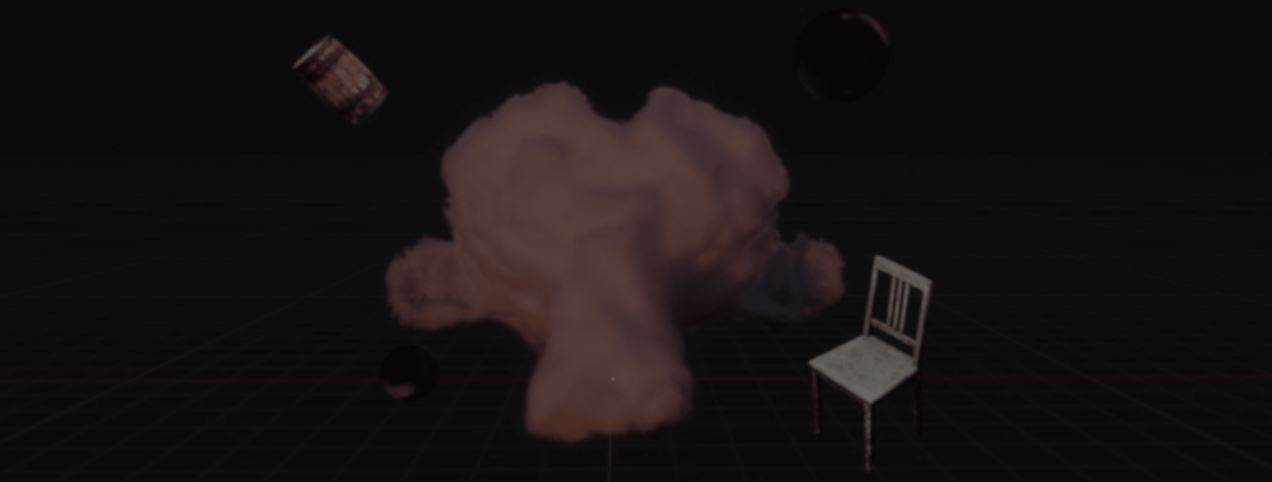
Around half a year ago, Blender artist Sören Schmidt-Clausen started experimenting with Gaussian Splats, a technique that represents 3D scenes using millions of small points.
After trying existing tools, Sören wanted a workflow that stayed inside Blender. The goal was simple: make splats behave like any other Blender object.
That idea became BlendSplat, a node library that renders Gaussian Splats inside Blender and lets users work with them through Geometry Nodes.
Before starting BlendSplat, Sören experimented with existing solutions such as GSOPs in Houdini and KIRI Engine for Blender.
Both approaches had interesting ideas, but neither fit the way they wanted to work. One relied on an external renderer. The other became slower with larger splat counts.
To get started, Sören first had to figure out how .ply splat files stored their data.
After figuring out how the splat data was stored, Sören built an early viewer using billboard planes (planes that always face the camera).
At first, the viewer did a lot of its work through Geometry Nodes. Later, Sören moved much of that work into the shader. As a result, moving the camera or transforming objects no longer required Geometry Nodes to update every splat.
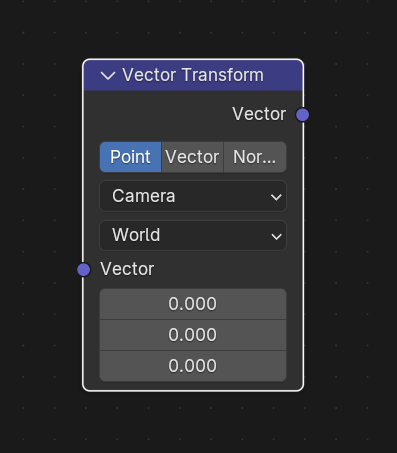
Once the viewer was working, Sören turned to rendering.
In EEVEE, every splat is represented by a plane. The shader rotates it toward the camera and shapes it into the final splat. Moving this work into the shader helped keep the viewport fast even with larger splat counts.
Part of this approach was inspired by work from Zhi Wang, who made the 4Dv.ai demo.
Cycles works a little differently. The camera-facing planes used in EEVEE are not practical there, since Blender would need to rebuild part of the scene every time the camera moves.
To work around this, Sören uses a cube for each splat. The cube matches the splat's size and rotation, while the shader creates the final shape.
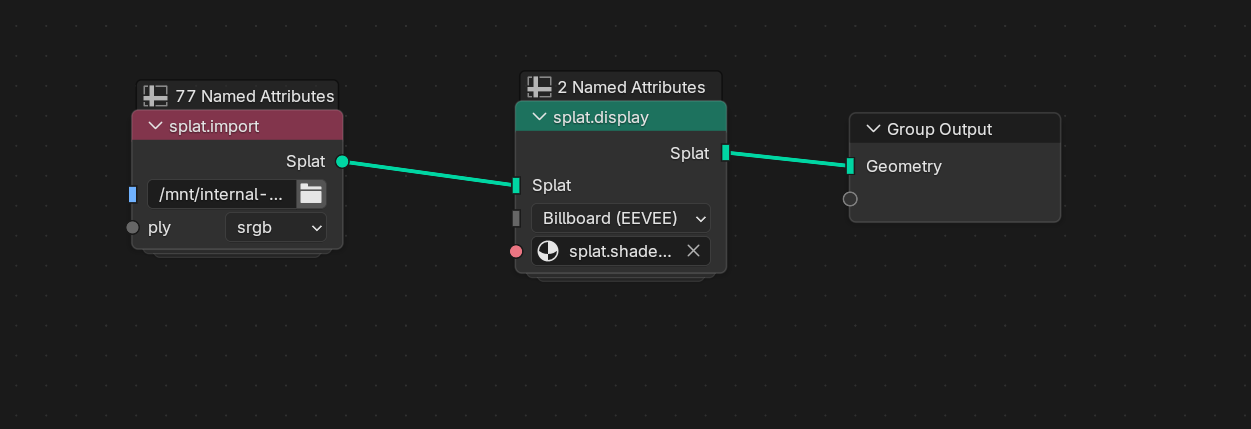
Importing only requires two nodes: splat.import and splat.display. Between those nodes, the splat can be adjusted through Geometry Nodes just like any other point data.
One of the areas Sören originally wanted to experiment with was relighting.
BlendSplat can convert a splat into a mesh and project those normals back onto the splat. Blender lights and HDRIs can then affect its appearance.
The shadows are one of the biggest limitations of this technique and only work to a certain degree.
BlendSplat also supports instanced splats, making it possible to place multiple copies of the same splat throughout a scene.
According to Sören, the biggest limitations of BlendSplat are performance and visual quality.
Traditional Gaussian Splat renderers use GPU sorting to blend splats accurately, something Blender currently cannot do.
Because of this, BlendSplat relies on dithered alpha (a transparency technique that introduces visible noise). Cycles can also slow down with very large splat counts.
Sören hopes some of these limitations will improve as Blender continues developing its official Gaussian Splatting implementation.
If you want to learn more or try BlendSplat, the links will be right below.
- Codeberg source repo: https://codeberg.org/soerensc/BlendSplat-Library
- Gumroad: https://soerensc.gumroad.com/l/BlendSplat
- Website: https://soerensc.xyz/
Interested in creating your own Tools and Shaders? 📘
Check out the Godot Shaders & Blender Tools Bundle, which includes: Blender Tool Development Fundamentals and The Godot Shaders Bible.
Our best-selling indie Bundle: Godot shaders + Blender tools ✨ https://t.co/zSlHDCuGVC#b3d #GodotEngine #3DCG pic.twitter.com/sjdYxXjKUB
— Shaders Bible Series (@ushadersbible) November 16, 2025
Jettelly wishes you success in your professional career!
Did you find an error? No worries!
Write to us at [email protected], and we'll fix it!
Would you like to learn more?
We invite you to explore "Blender: Advanced Add-On Development", a comprehensive book on the concepts and fundamentals seen in this post.
Other posts that might interest you.
-
 What began as a Blender challenge grew into 40 free models and a playable Godot scene showing how they work together.
 -
 Check out Attribute Batcher, a Maya tool by Slava Borovik that records attribute edits and applies them across multiple objects.
 -
 Check out the details of Footwerk, a free foot placement plugin that helps characters stay grounded while keeping existing animations intact.
