
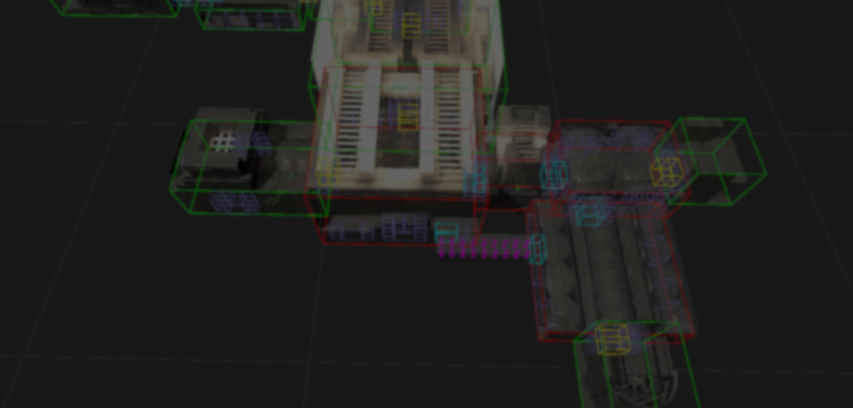
After around a year and a half of development, Mad Yeti Games recently released a public demo for Shifting Castle, an action RPG built in Unity URP.
According to the team, both the combat system and dungeon generation system were made by them. After reaching out, they told me more about how those systems work.
Dungeon Generation
The dungeon generation system was originally inspired by how the developers of Enter the Gungeon did procedural generation.
Enter the Gungeon uses a 2D layout. Shifting Castle generates 3D dungeons with rooms placed at different heights.
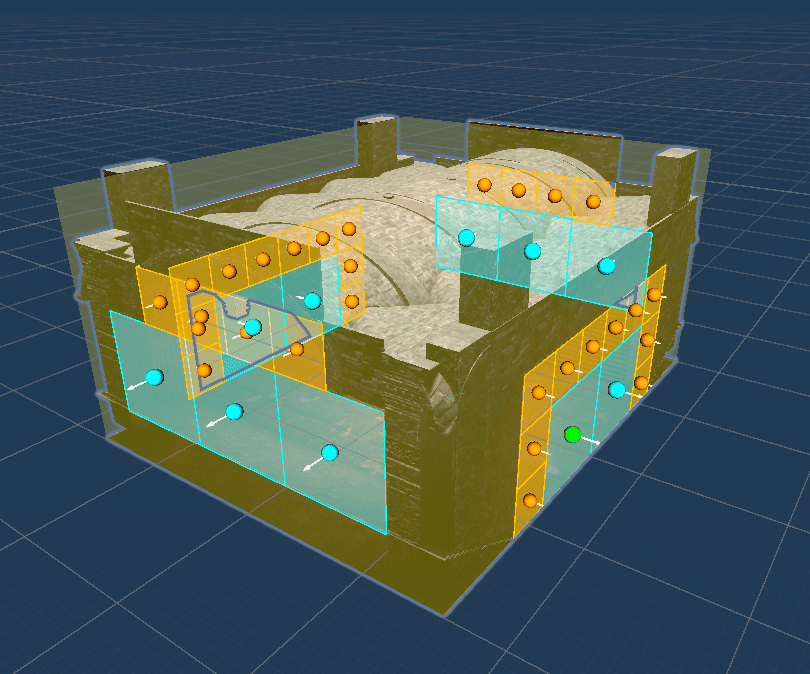
According to the team, doors were one of the biggest challenges to figure out because they not only occupy a cell, but also need to face the correct direction.
The process starts with room assets created as Scriptable Objects. Each asset stores information such as its size, door locations, and room type.
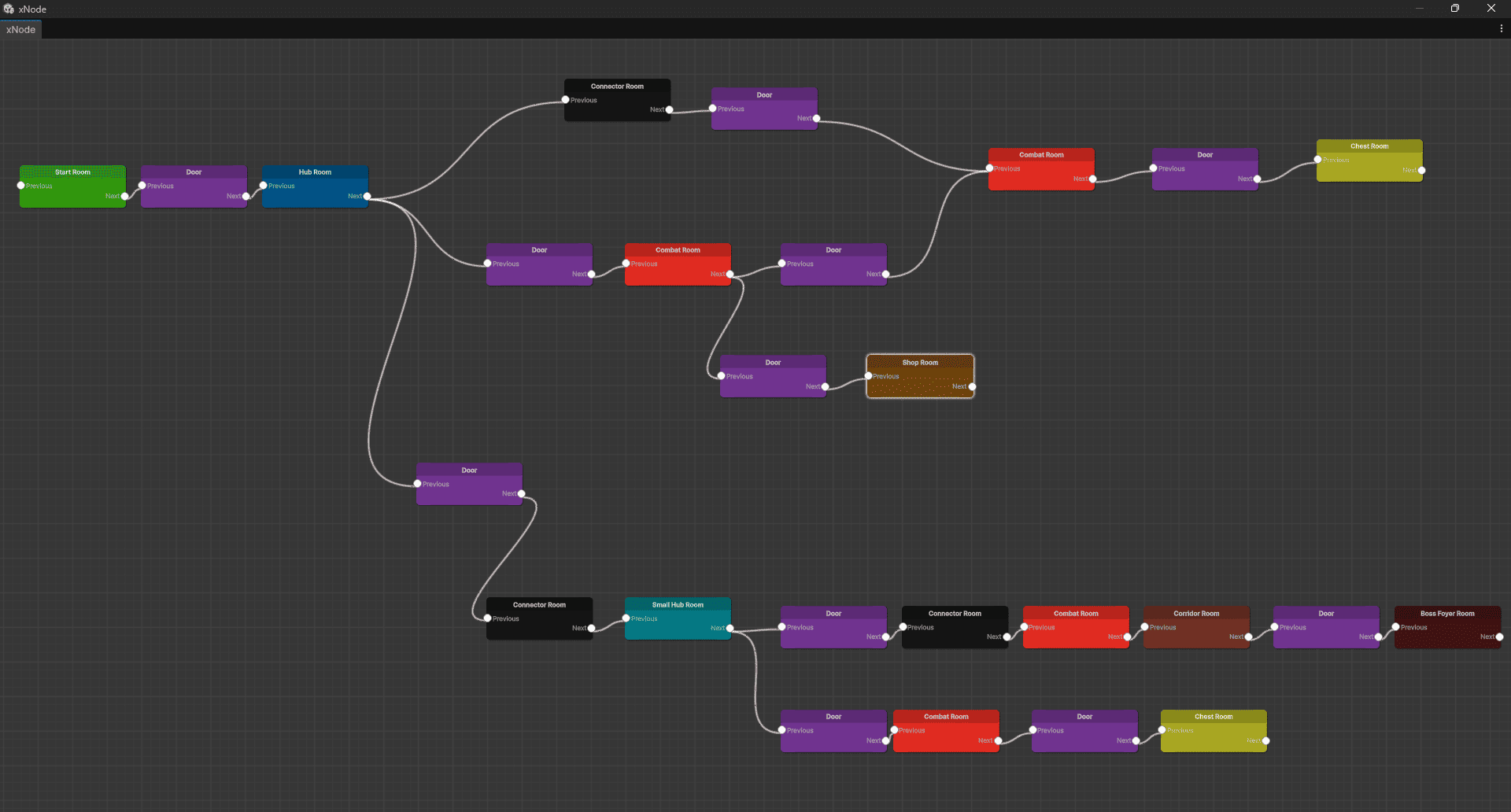
Once enough room assets have been created, they are connected using a flow graph. This graph defines how different room types connect throughout the dungeon.
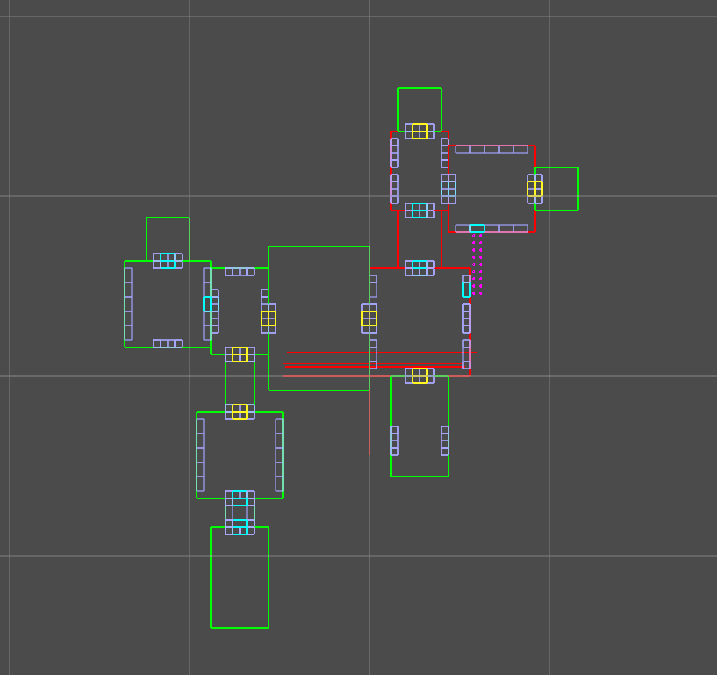
From there, the generator starts placing rooms onto a grid.
The flow graph is first divided into smaller groups called composites. The generator builds these sections one at a time.
As each section is done, the generator connects the rooms together. If two rooms cannot reach each other, it creates corridors between them.
The last part is connecting all of those sections into a single dungeon layout.
With the layout ready, the system starts placing the room prefabs into the dungeon and adding the arches and doors that connect them. Any openings that lead nowhere are closed off.
To finish, the generator places props throughout the dungeon using the information stored in each room asset. It can also remove props that end up too close to doors.
One feature the team is particularly happy with is the way room connections work. Doors can have different sizes, creating larger openings that can make two rooms feel like a single space.
Combat System
To manage combat, the team used a timeline-based system made up of three main parts:
- AgentCombat: decides which attacks can be used.
- AttackBehaviour: handles attack chains such as combos.
- AgentAttackTimeline: controls when each part of the attack happens.
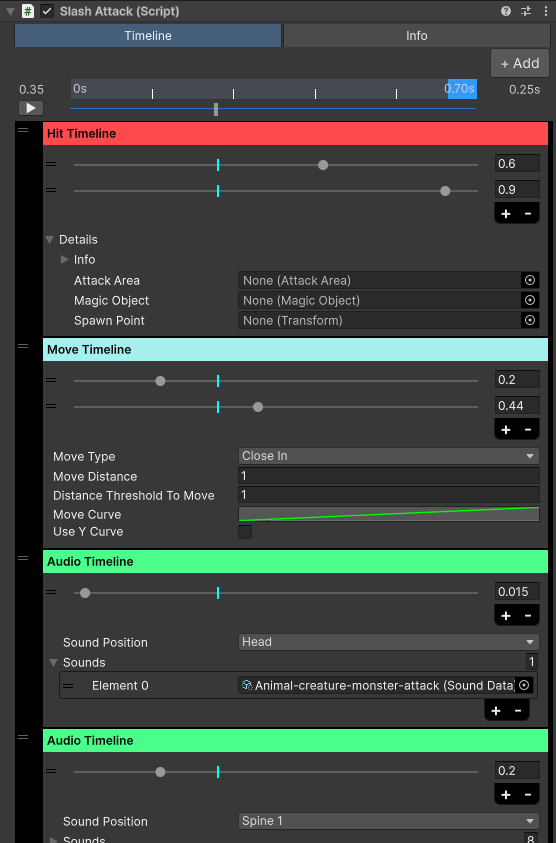
One example of this system in action is the slash attack used for melee combat.
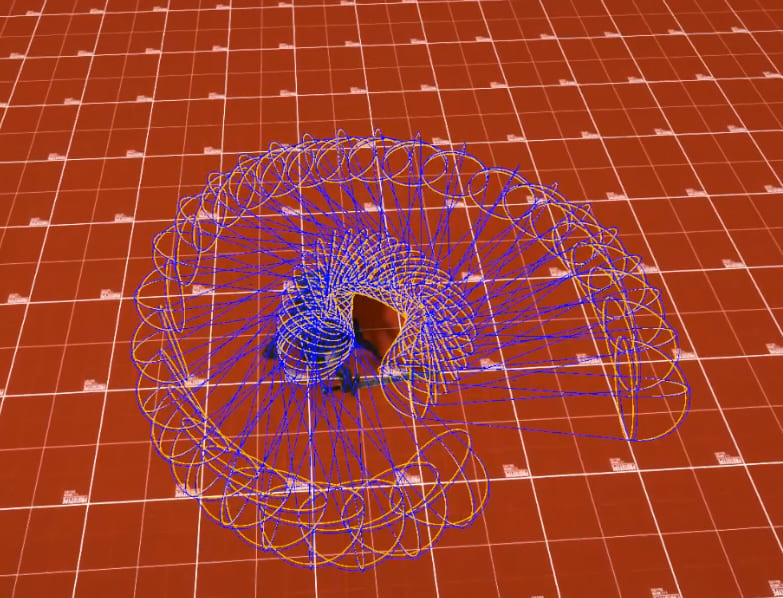
According to the team, fast weapon swings can create problems for traditional hit detection. If a weapon moves too far between frames, attacks can pass through enemies without registering a hit.
To solve this, the system stores the path of the weapon ahead of time and uses it to add extra hit checks between the swing.
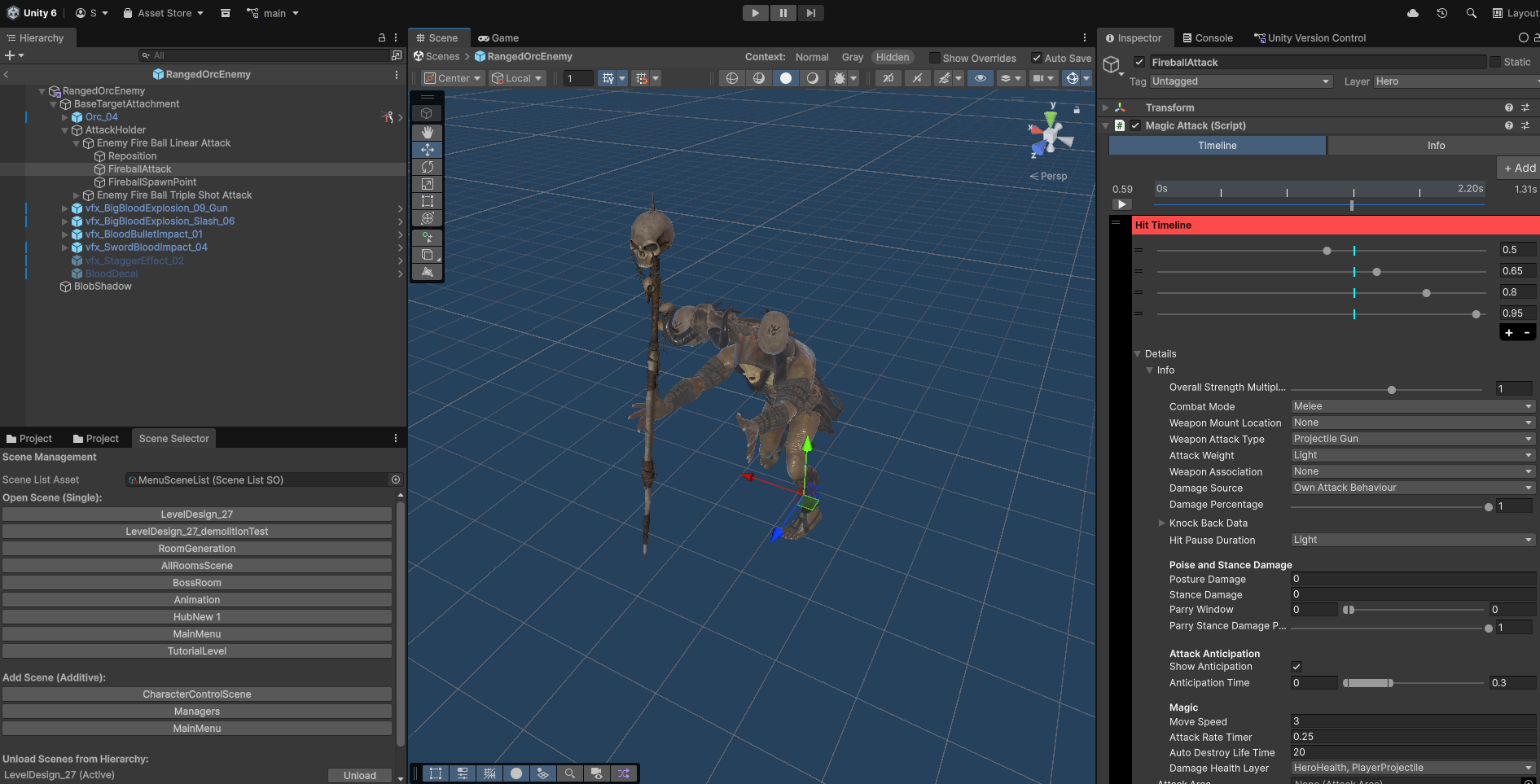
Magic attacks follow a similar approach. When the attack reaches the right point in the timeline, the spell is spawned into the world.
From there, each spell can behave in a different way. Some can follow enemies, others can explode on impact, pass through targets, or split into multiple projectiles.
The team also made a few supporting systems around combat. These systems manage things like targeting enemies and deciding which enemies are allowed to attack.
If you want to see updates on development or check out the demo, the links will be right below.
- Shifting Castle’s demo: https://madyetigames.itch.io/shifting-castle-demo
- YouTube: https://www.youtube.com/@MadYetiGames
- Website: https://www.madyetigames.com/
Interested in learning more?
If you’re interested in the technical side of Unity? The Unity Dev Bundle brings together six books covering shaders, math, procedural shapes, editor tools, and character customization.
This is for developers and technical artists who want to build a stronger foundation and work with more advanced graphics and systems in their projects.
Hey guys, the Technical Art Unity Bundle is 70% OFF 🎁 https://t.co/1eA8907m5M#gamedev pic.twitter.com/KSY2xfp9ud
— Shaders Bible Series (@ushadersbible) May 29, 2026
Jettelly wishes you success in your professional career!
Did you find an error? No worries!
Write to us at [email protected], and we'll fix it!
Learn Shaders, Math for Graphics and VFX in Unity with this bundle!
We invite you to explore "The Unity Dev Bundle", a comprehensive bundle on the concepts and fundamentals seen in this post.
Other posts that might interest you.
-
 Anvil CSG lets you shape levels in a four-view editor and build them into Unity maps. Simun Dev shares how feedback from beta testers helped the tool grow.
 -
 Johann Hotzel built a free Unity library that cuts holes into meshes while a game is running. In his demo, the collider changes too, so shots can pass through.
 -
 Silk & Sorrow's trees and trash piles seem to have height, but they are made from sprites. Florian Heynen of Snowberry Games made the effect by stacking, moving and lighting those layers in Godot.
