
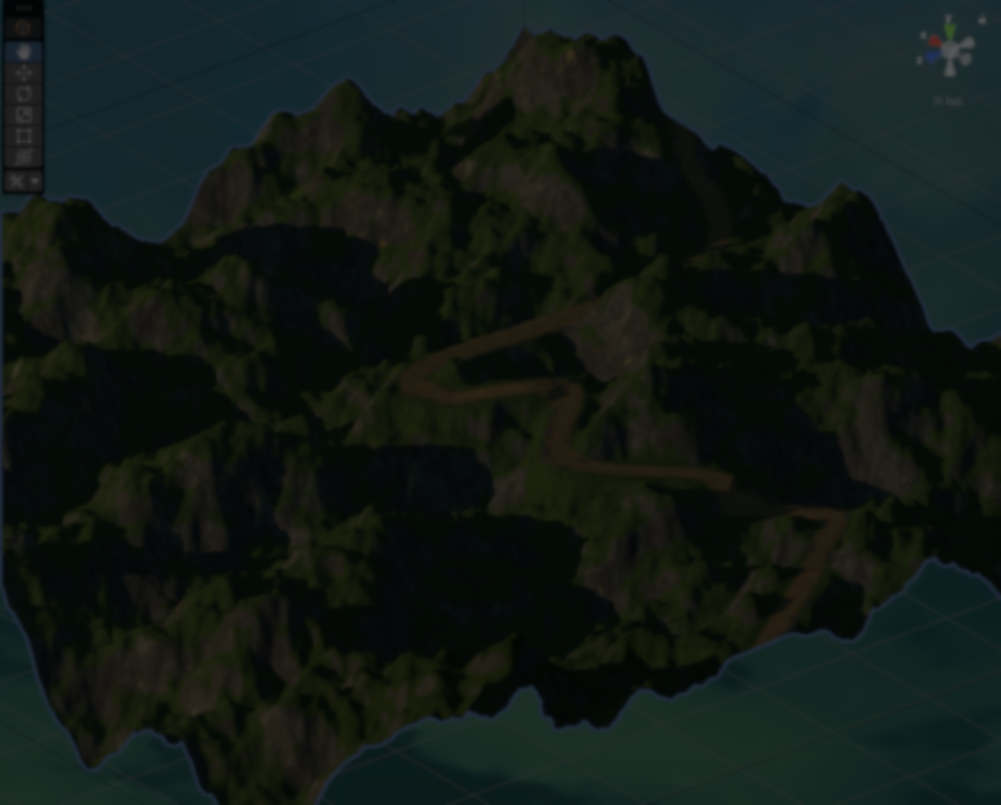
Developer Sapra recently shared a spline-based system for generating roads and paths, introduced in the 0.9 update of their tool, Infinite Lands, for building procedural worlds in Unity.
The system lets you connect points across the terrain without distance limits, generate smooth curves, and even pathfind the splines so they follow more natural routes.
After a brief conversation with the developer, they shared some details on how this new feature works.
Everything starts with the basic terrain built from Perlin noise and some manual tweaks.
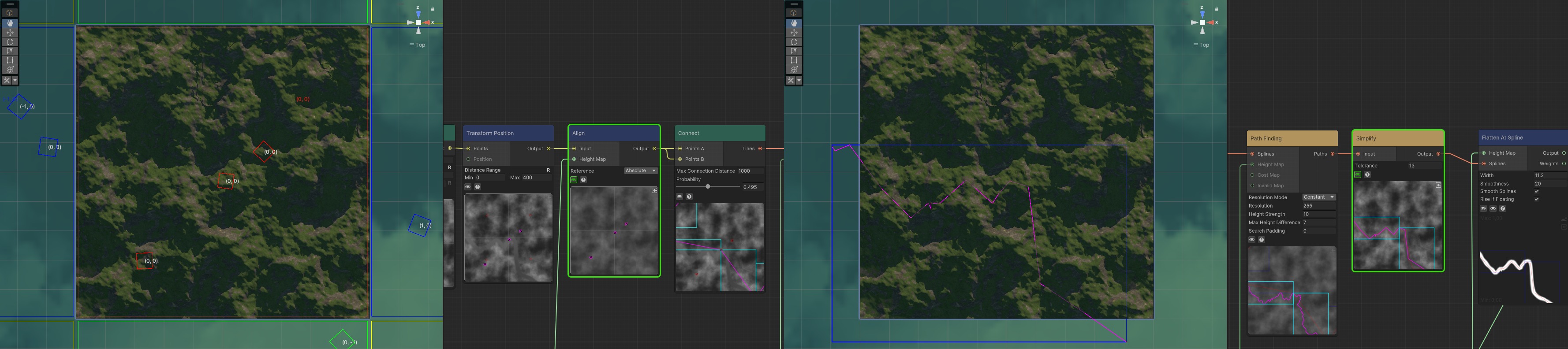
From there, a few points are scattered across the world. They are then slightly adjusted to avoid a uniform pattern and placed on the terrain.
Once those points are in place, they are connected to form the initial spline that defines the base shape of the path.
At this point, the spline is still very rough, so the system runs a pathfinding step to make it follow a more natural route across the terrain.
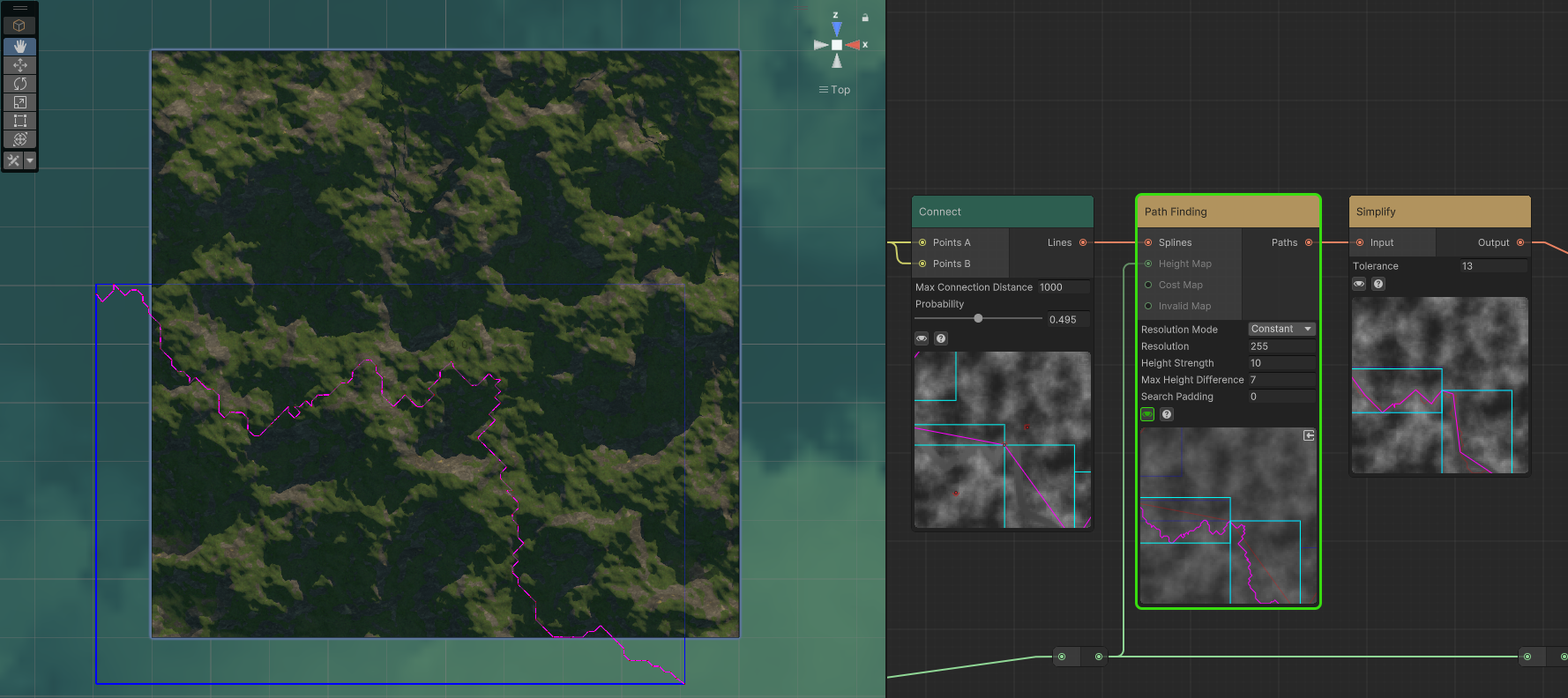
This uses an A* setup that takes into account things like height, invalid areas, and additional cost maps. For example, certain zones can be marked as more expensive to cross, or completely blocked.
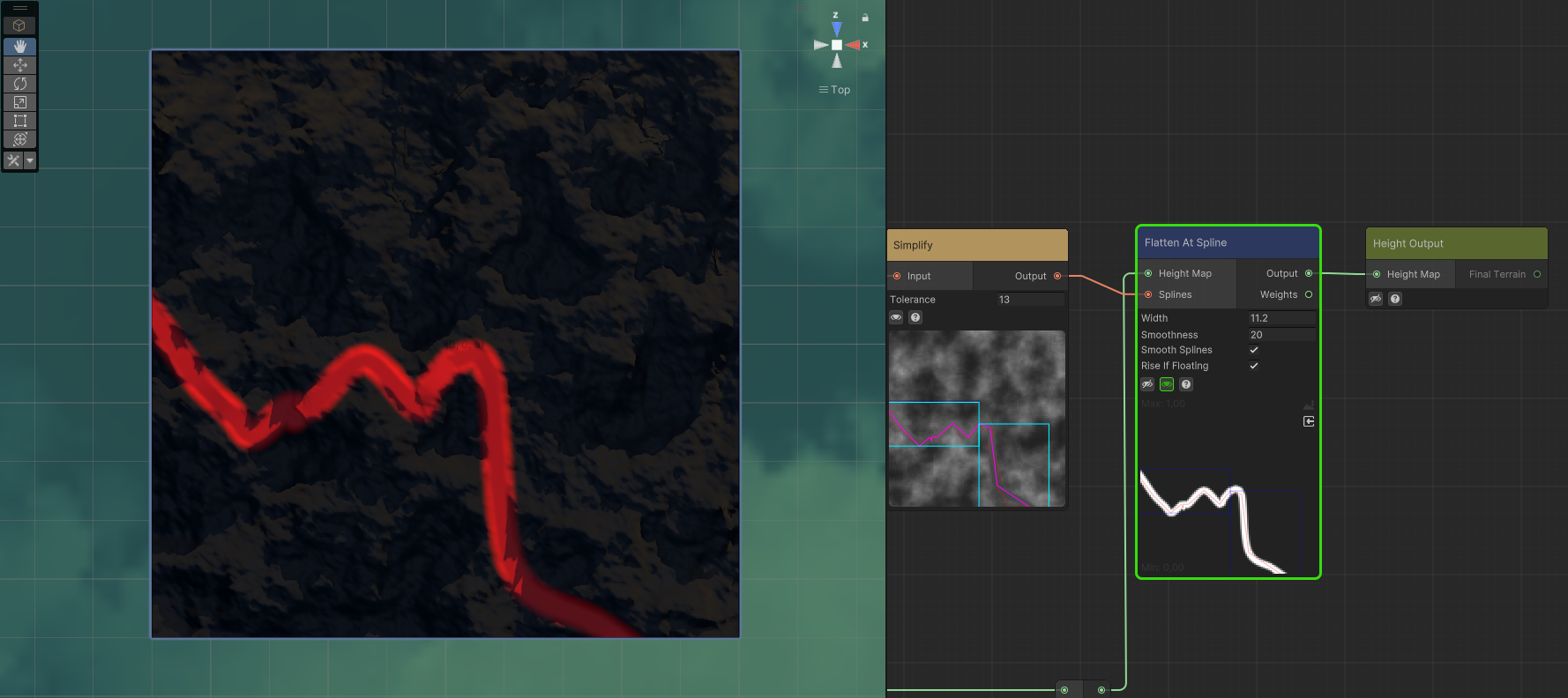
After that, the spline is simplified to remove unnecessary points, and the terrain around it is flattened so the path blends better with the terrain.
On the technical side, everything is built around a node-based system. Each node defines its inputs and outputs, processes the data, and then passes the result to the next node in the graph.
[Input] public HeightData Input;
[Output] public HeightData Output;

protected override bool Process(BranchData branch)
{
    var targetSpace = branch.GetData<HeightMapAllocator>().GetSpace(this);
    var map = NativePool.GetData<float>(targetSpace.MapLength);

    JobHandle job = RemapHeightJob.ScheduleParallel(
        map, targetSpace, Input, new Vector2(0, 1), Input.jobHandle
    );

    Output = new HeightData(map, job, targetSpace, new Vector2(0, 1));
    return true;
}
For example, a node might take a heightmap as input, process it using a job, and output a new modified version that other nodes can use.
The spline system follows the same idea, but with a few extra steps. First, it sets up terrain samplers to safely gather the data needed for pathfinding.
The spline system follows the same idea, but with a few extra steps. First, it sets up terrain samplers to safely gather the data needed for pathfinding.
if(heightSampler == null && IsAssigned(nameof(HeightMap)))
{
    heightSampler = new SampleAroundSpline(
        this, nameof(HeightMap), resolutionMode, SearchPadding
    );
}
Then, it collects the relevant splines in the area being processed, making sure it only works with the ones that haven’t been handled already.
Paths.CollectFilteredSplines(
    Splines, this, branch, splineSpace, SearchPadding
);
Once everything is ready, the system schedules a pathfinding job.
This job takes the spline start and end points, along with several data maps like height, cost, and invalid areas, and calculates a path that makes sense for the terrain.
var job = PathFindingJob.Schedule(
    ogSpline.start, ogSpline.end,
    costData, heightData, invalidData,
    useCostData, useHeightData, useInvalidData,
    CostStrenght, HeightStrength, MaxHeightDifference,
    valid.MeshScale, evaluationIndex, valid.Position, generatedSpline
);
After the job finishes, the resulting splines are added back into the output and passed along to the next node in the graph.
Paths.AddSplinesValidated(ValidatedSplines, branch, this);To keep things efficient, the system relies on Unity’s Jobs System and the Burst Compiler, allowing it to process large amounts of data in parallel. It also uses structures like R-Trees to quickly find and sample nearby splines when needed.
If you want to see more of Sapra’s work, you can find their links below.
- Official Website: https://ensapra.com/
- YouTube: https://www.youtube.com/@ensapra
- Discord Server: https://discord.gg/xkkWP6H6eJ
- Patreon (Beta Releases): https://www.patreon.com/cw/Sapra
Interested in learning more?
If you’re interested in both visuals and tools in Unity, the Unity Tool Development Bundle brings together two books covering shaders, procedural shapes, and editor scripting.
This is for developers and technical artists who want to build custom tools while improving the visual side of their projects.
One of our best-selling bundle: Unity Tools and Procedural Shapes✨ https://t.co/vsA5AbbB39#madewithunity #indiedev #3DCG pic.twitter.com/SwWUzH0tj7
— Shaders Bible Series (@ushadersbible) January 6, 2026
Jettelly wishes you success in your professional career!
Did you find an error? No worries!
Write to us at [email protected], and we'll fix it!

Start making your own tools in Unity with this bundle!
We invite you to explore "Unity Tool Development Bundle", a comprehensive bundle on the concepts and fundamentals seen in this post.
Other posts that might interest you.
-
 See how Mad Yeti Games did the procedural dungeon generation and timeline-based combat systems behind its upcoming action RPG.
 -
.png) See how Miriam Martin Sánchez built a potion shader in Unity URP, combining C# and Shader Graph to create a liquid effect that reacts to movement.
See how Miriam Martin Sánchez built a potion shader in Unity URP, combining C# and Shader Graph to create a liquid effect that reacts to movement. -
 Check out the details of Footwerk, a free foot placement plugin that helps characters stay grounded while keeping existing animations intact.
