
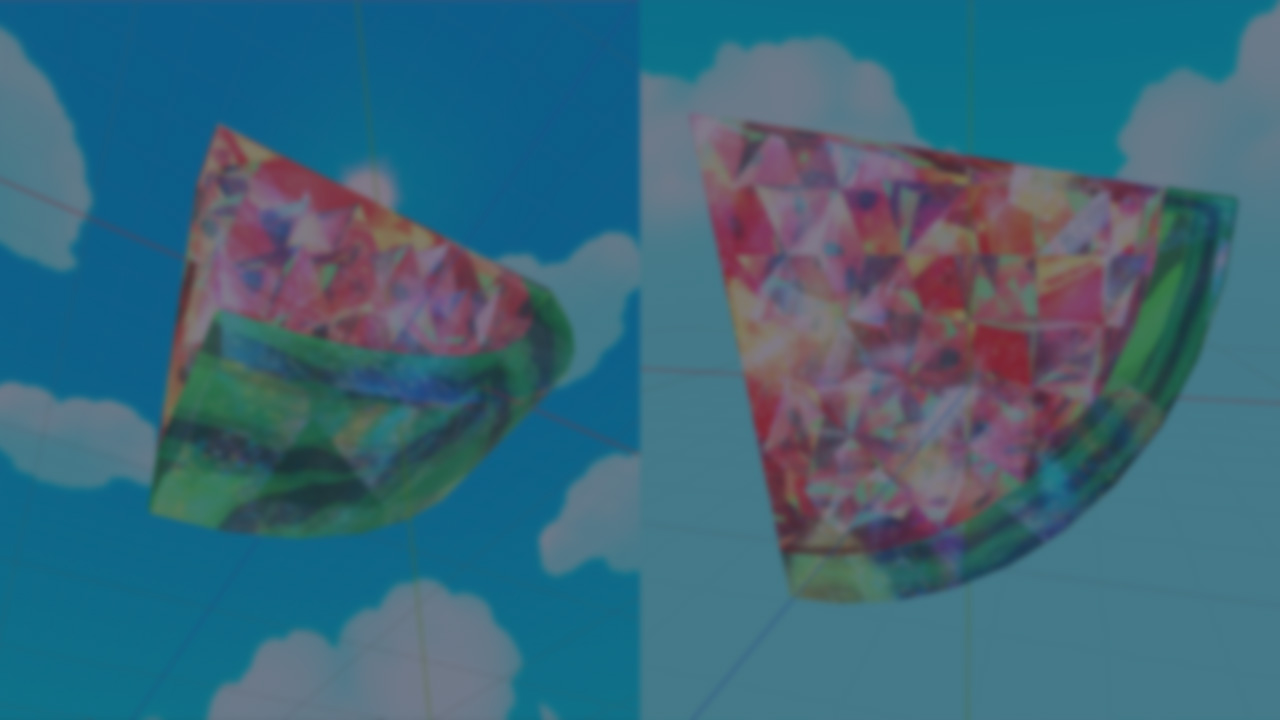
When it comes to rendering convincing crystal or glass surfaces, most developers immediately think of ray tracing, and for good reason. Ray tracing allows us to simulate light bouncing and refracting through translucent materials with stunning realism. However, this technique comes at a high computational cost and is still impractical for most mobile devices and lightweight games. That said, it’s only a matter of time before such effects become mainstream, even on entry-level GPUs.
But what if you want that crystal-like look today, without relying on expensive rendering techniques?
The answer lies in shader tricks.
In the following example, we’ve combined multiple shader techniques to simulate the illusion of refraction, reflection, and glitter - without a single ray being traced.
As you can see, the effect is broken into multiple layers, each carefully crafted to fake complex lighting behavior:
- Refraction: Rather than calculating how light bends through the surface, we simply distort the UV coordinates based on the camera view direction and a depth approximation. This gives the illusion of bending light as it passes through the crystal.
- Reflection: Instead of environment mapping or screen-space reflections, we use a matcap texture. By adding a subtle glitter based on the normals' divergence, we enhance the surface detail. This is rendered in a second pass to give it extra depth.
Despite these being “fakes,” the final result is surprisingly convincing:
Interested in learning more?
If you’re working with Unity or Godot, the Shaders Bible Collection brings together six books focused on shaders, math, and real-time visuals.
It’s aimed at anyone who wants a better understanding of how shaders and math work, and how to improve the visual side of their projects.
Looking to get into technical art? ✨ Check out the "Shaders Bible Collection," a 6-book bundle for Unity and Godot!
— Jettelly Inc. (@jettelly) April 6, 2026
Available for limited time: https://t.co/0vLC31dz6m#techart #gamedev #indiedev #vfx pic.twitter.com/6co2fTSnTr
Jettelly wishes you success in your professional career!
Did you find an error? No worries!
Write to us at [email protected], and we'll fix it!

Level up your Technical Art skills in Godot and Unity!
We invite you to explore "The Shaders Bible Collection", a comprehensive bundle on the concepts and fundamentals seen in this post.
Other posts that might interest you.
-
 See how Mad Yeti Games did the procedural dungeon generation and timeline-based combat systems behind its upcoming action RPG.
 -
 Godot 4.7 has now entered beta, bringing HDR support, a new Asset Store, rendering improvements, and additional tools for level creation and shader development.
 -
.png) See how Miriam Martin Sánchez built a potion shader in Unity URP, combining C# and Shader Graph to create a liquid effect that reacts to movement.
See how Miriam Martin Sánchez built a potion shader in Unity URP, combining C# and Shader Graph to create a liquid effect that reacts to movement.
