
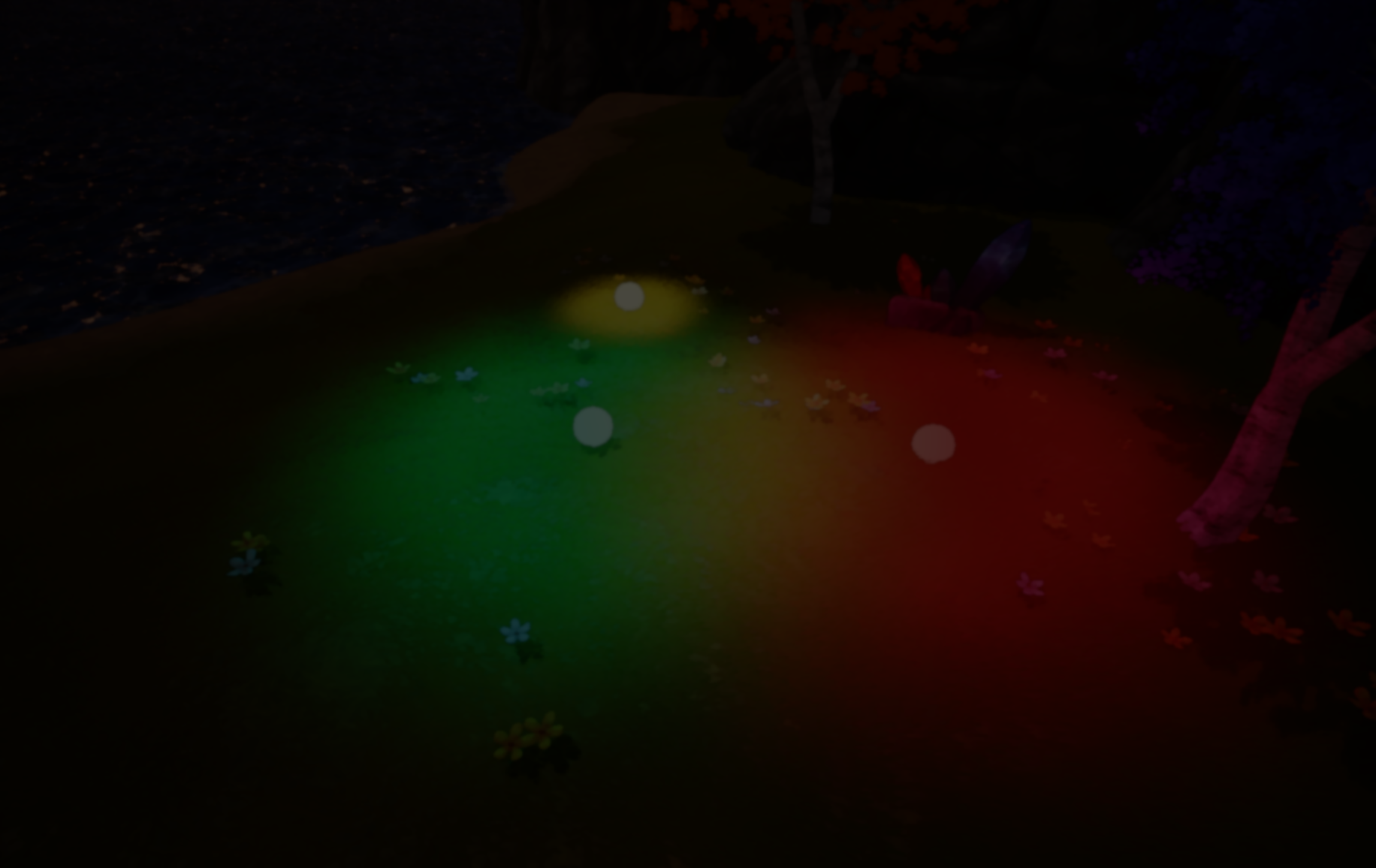
Jean-Baptiste Louis recently shared a lighting prototype where light itself acts as a gameplay element. Built in Unreal Engine 5, the system explores a different way to handle dynamic lighting.
Many of you have probably run into this before: dynamic lights can quickly become expensive as their number grows. When lighting also interacts with gameplay systems, the engine needs to provide more than just visual illumination. Gameplay logic may rely on things like light intensity, position, or influence areas.
To explore this problem, Louis built a system in UE5 that generates light through a post-process pipeline instead of using traditional scene lights. After a brief exchange, he shared a quick breakdown of how the system works.
Goals of the System
This prototype was designed around a few technical goals. The first was to support a large number of light sources while keeping the cost stable. The second was to make light data usable by gameplay systems. The third was to give designers control over how the lighting looks in the scene.
These requirements led Louis to try a different approach, one that doesn’t rely on the usual dynamic lighting pipeline.
Storing the Base Scene
The first step stores the base scene image.
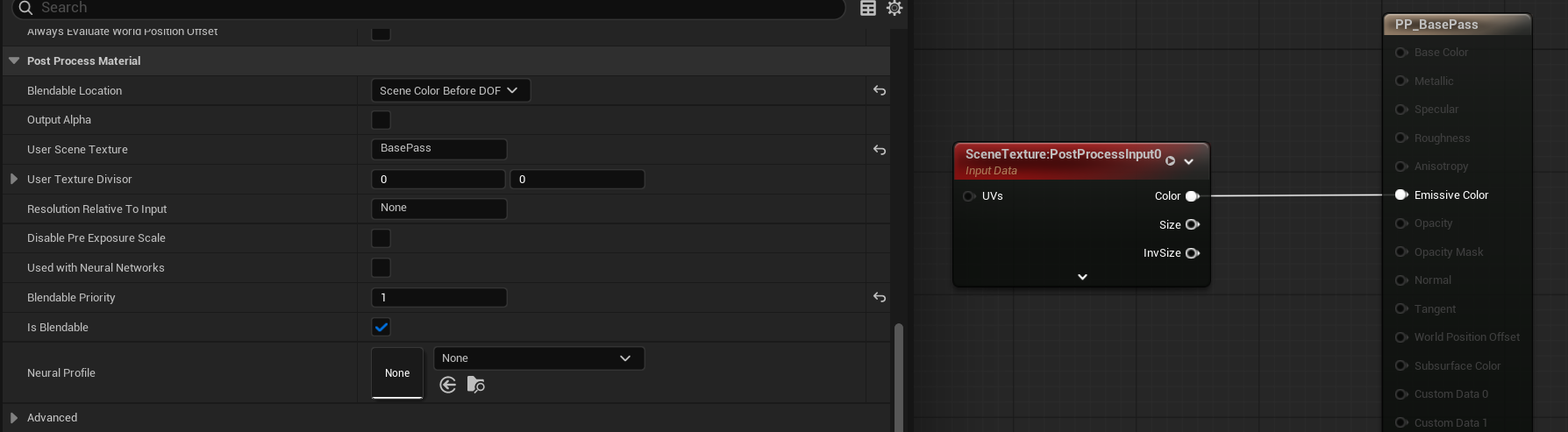
A material pass captures the rendered scene and writes it into a User Scene Texture. This stored image will be used later when the lighting result is combined with the original scene.
Clearing the Output
Once the base scene is saved, the main output is cleared.
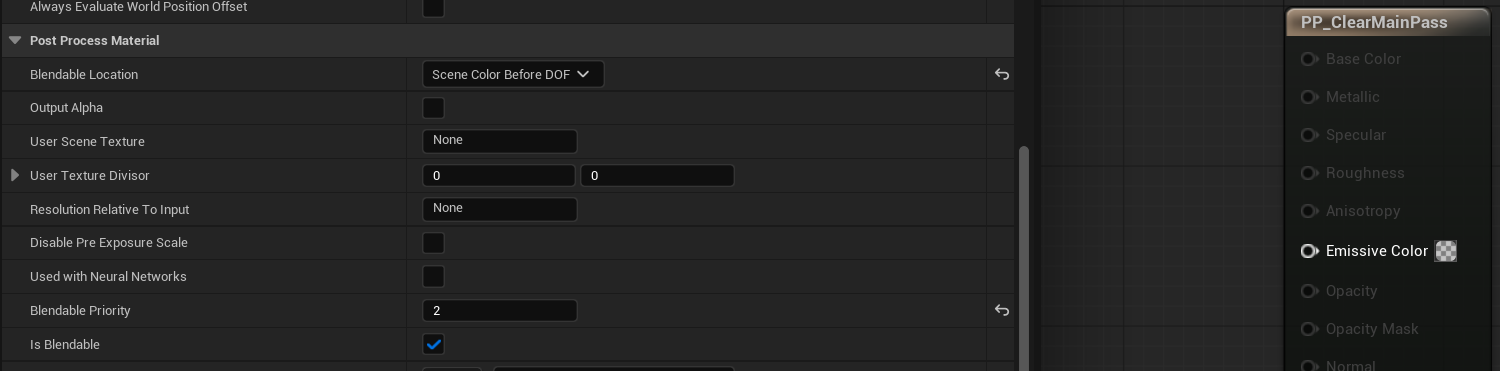
This step prepares the frame buffer so the lighting contributions can be accumulated independently.
Adding the Light Contributions
Each emitter actor in the scene produces its own light pass.
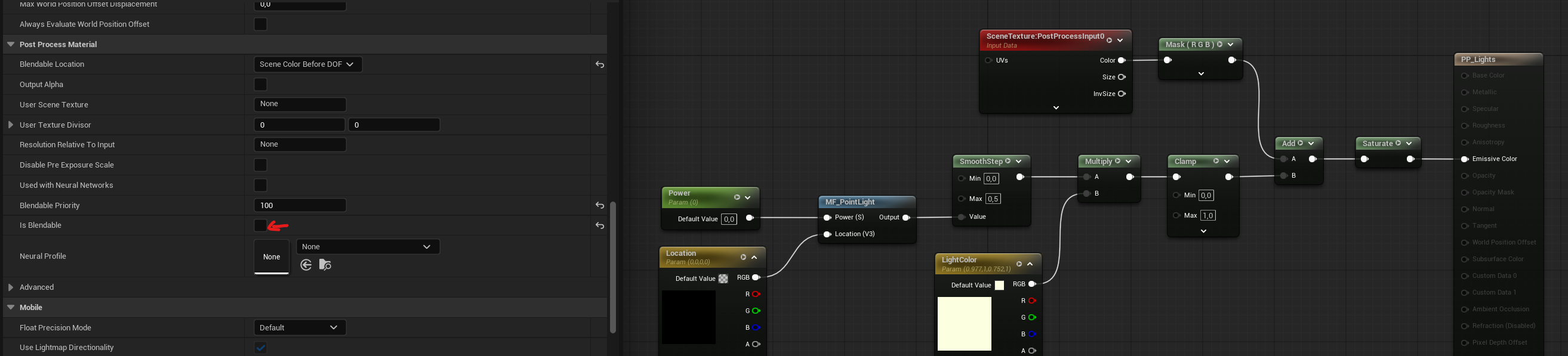
These lights are handled through instanced post-process materials, and each instance contributes to the final lighting texture. The light parameters (position, color, and intensity) are controlled by a Blueprint component attached to each emitter.
All light contributions end up in the post-process output.
Combining the Scene and the Lights
The final step blends the stored base image with the lighting that was built in the previous passes.
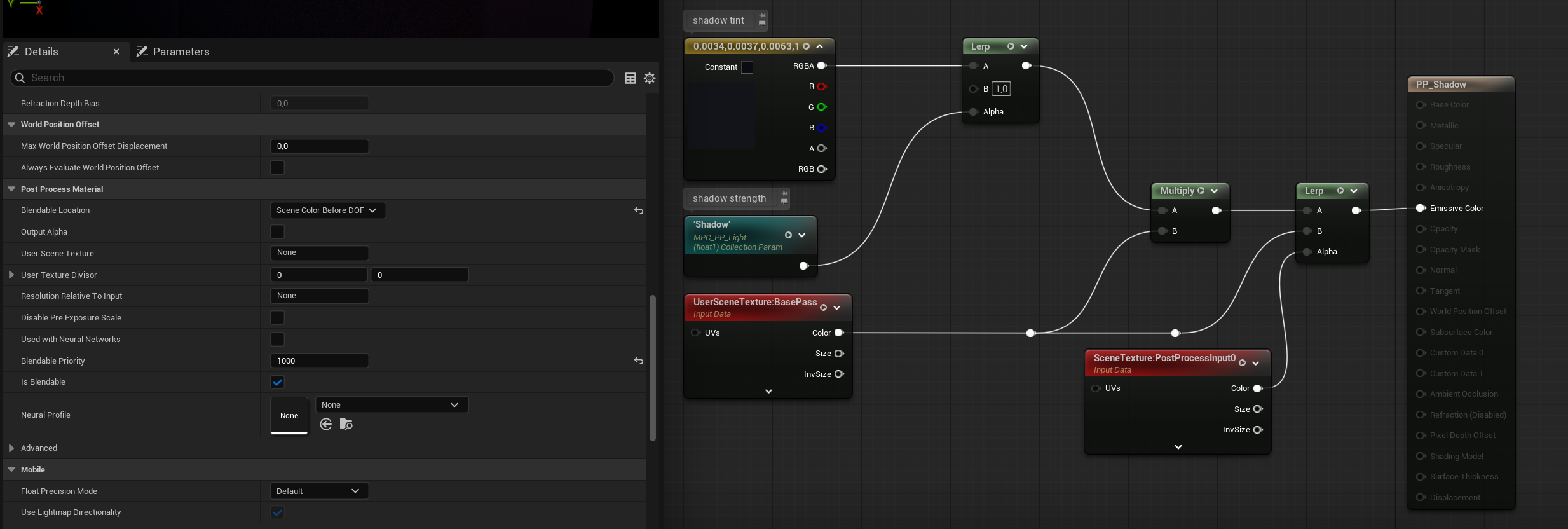
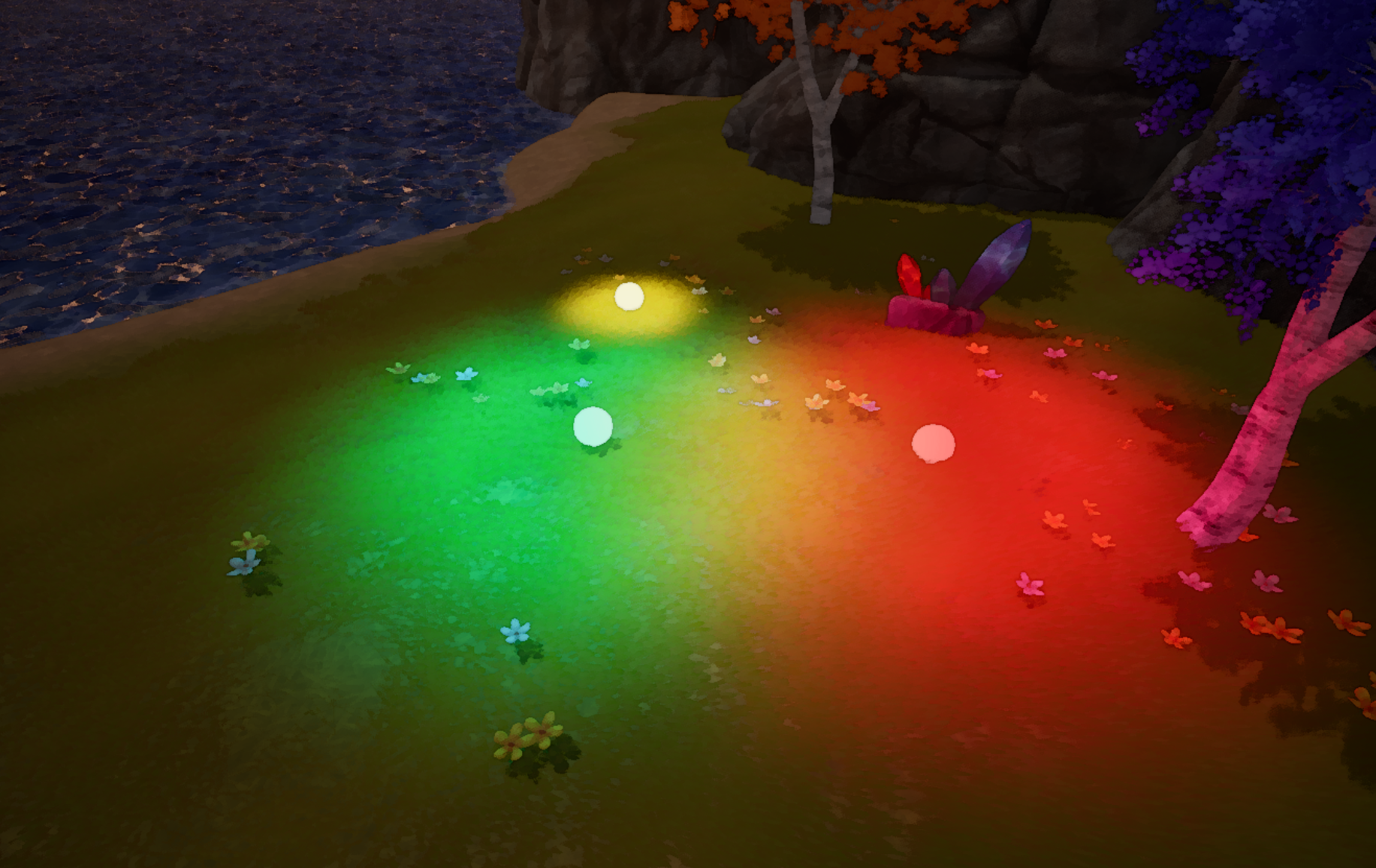
The system takes the saved scene texture and mixes it with the lighting buffer produced earlier. This produces the final rendered frame:
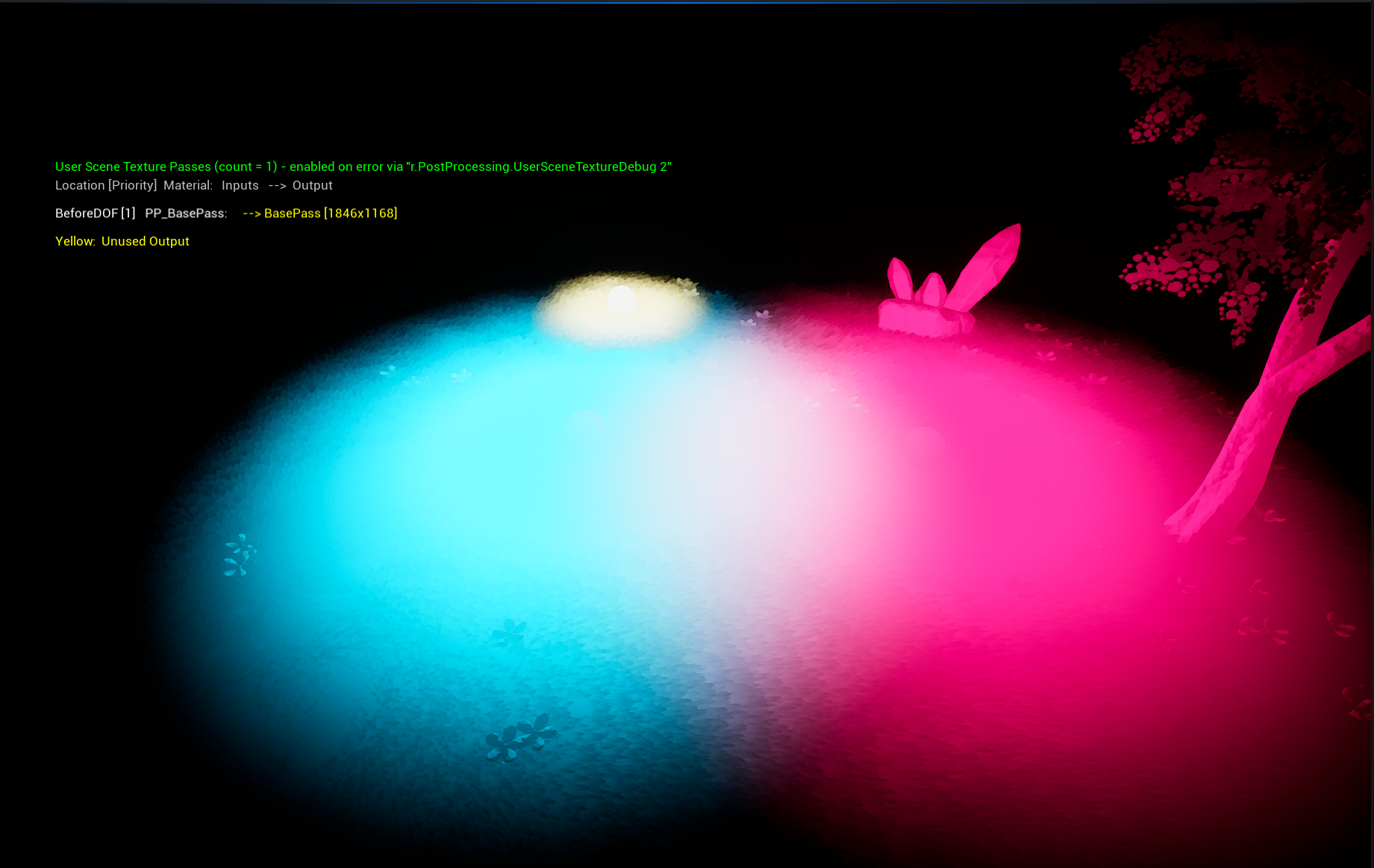
For debugging, the lighting contribution can also be viewed separately:
Next Steps
The system was originally built using Unreal Engine’s post-process materials. Jean mentioned that UE5’s newer Post Process Material Chain Graph could make this setup easier to manage, something he plans to explore next.
If you'd like to see more work from Jean-Baptiste Louis, you can follow their updates on LinkedIn.
- LinkedIn: https://www.linkedin.com/in/jb-louis
Interested in learning more?
If you are interested in technical art, The Technical Artist Bundle brings together three books that explore shader programming, game development math, and procedural visuals in Unity.
It’s designed for developers and artists who want to better understand the technical side of graphics, whether you are starting out or looking to expand your skills and knowledge.
You can use object distance to control transparency and avoid collisions with large objects in your open-world game. 🌲
— Jettelly Inc. (@jettelly) October 20, 2025
Learn more: https://t.co/sZyjGPgVpN#Godot #indiedev #gamedev pic.twitter.com/K7m3sRwBM5
Jettelly wishes you success in your professional career!
Did you find an error? No worries!
Write to us at [email protected], and we'll fix it!
Other posts that might interest you.
-
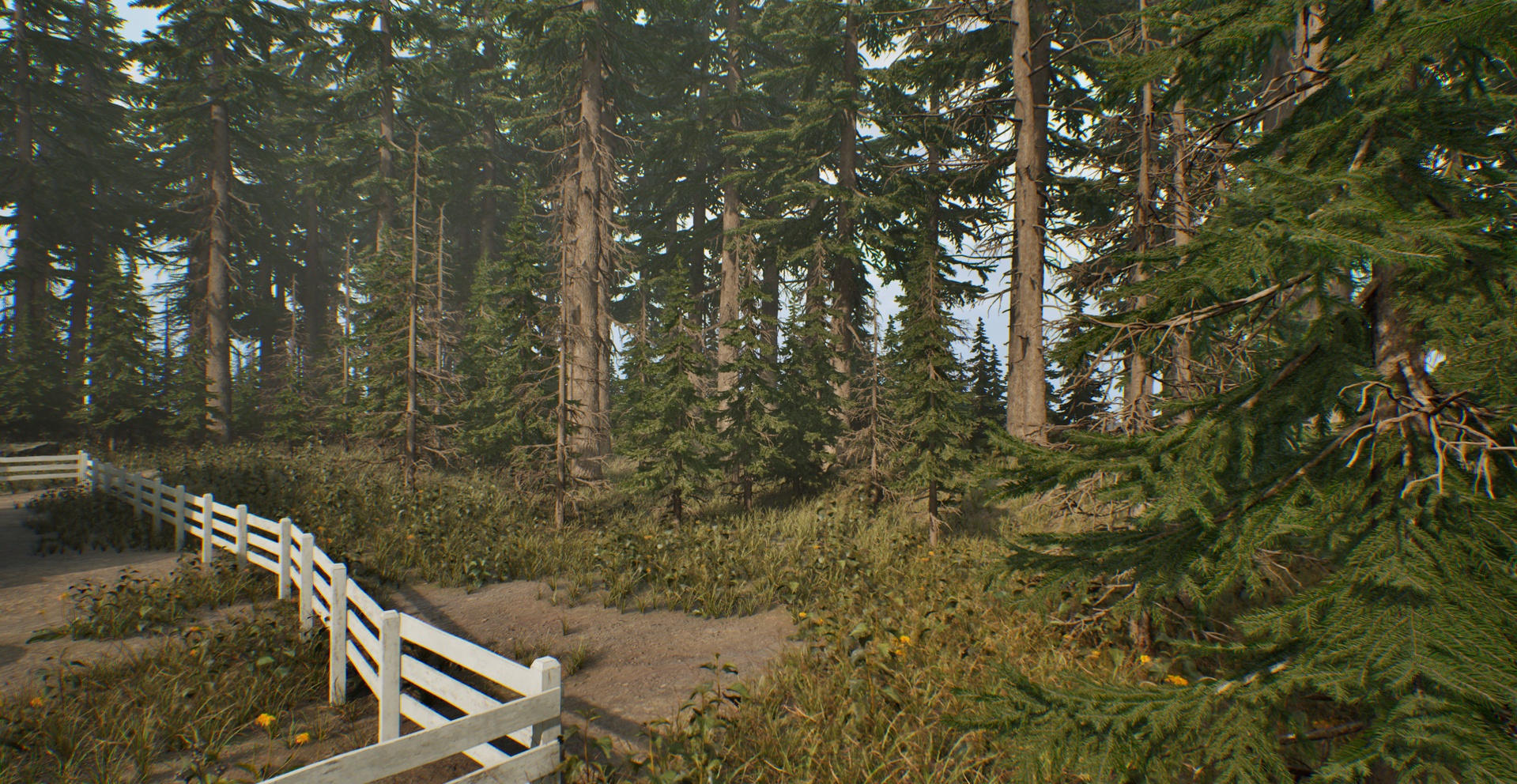 Developer Laglanz created this modular house and forest asset pack for their own project, and is now releasing it for free so the work doesn’t go unused.
 -
 Rawad Akar shared a breakdown of their upcoming Unity tool, which combines physics, IK, and procedural animation to create a self-balancing active ragdoll.
 -
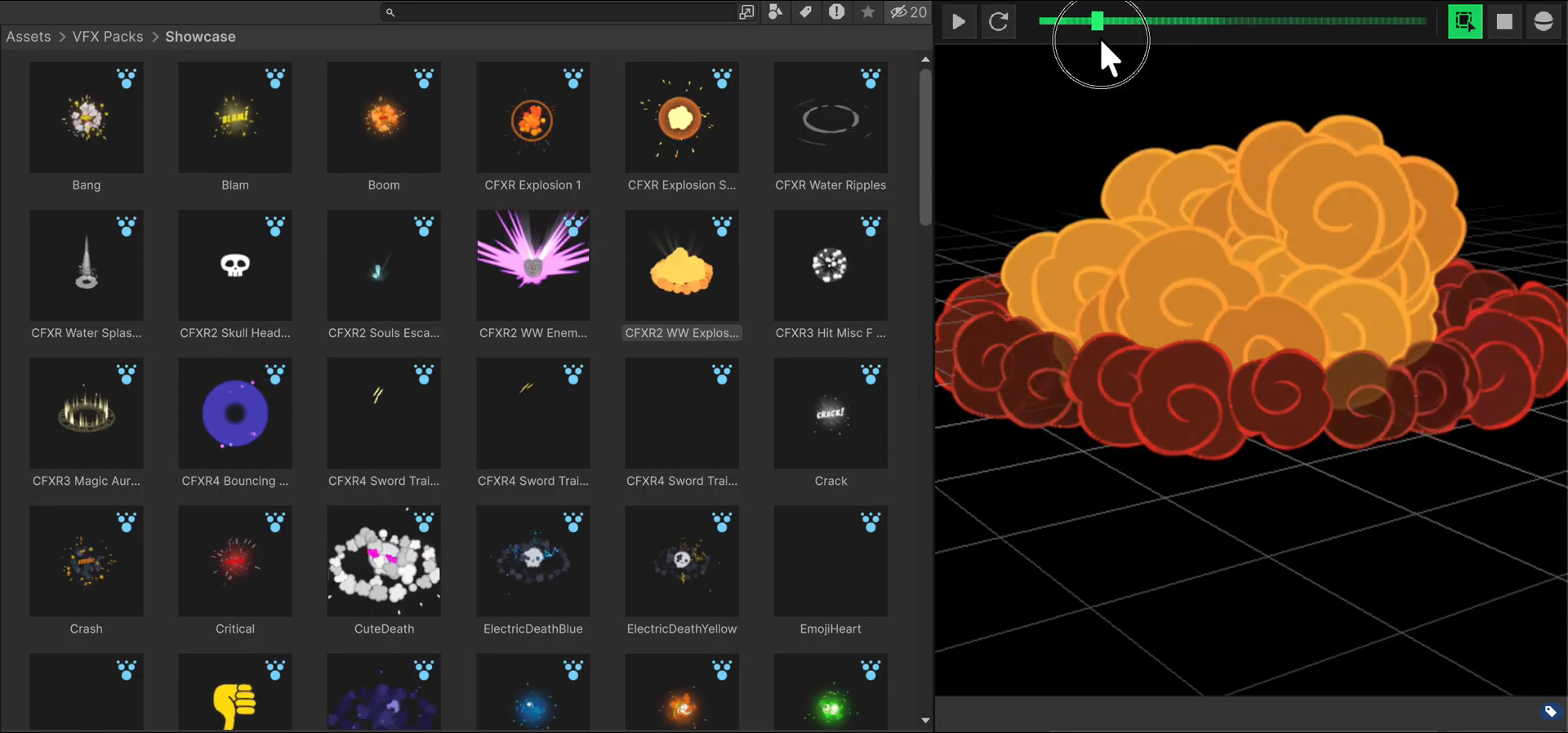 Developer Fardin Haque shared a Unity tool for animated particle thumbnails and custom previews, developed using AI-assisted coding during iteration.
