
Creating a Procedural Spider walk using IK in Unity.
by Vicente C.
Published |
1,126
Warning: Before reading know that this article includes animations that may not be suitable for people with arachnophobia.
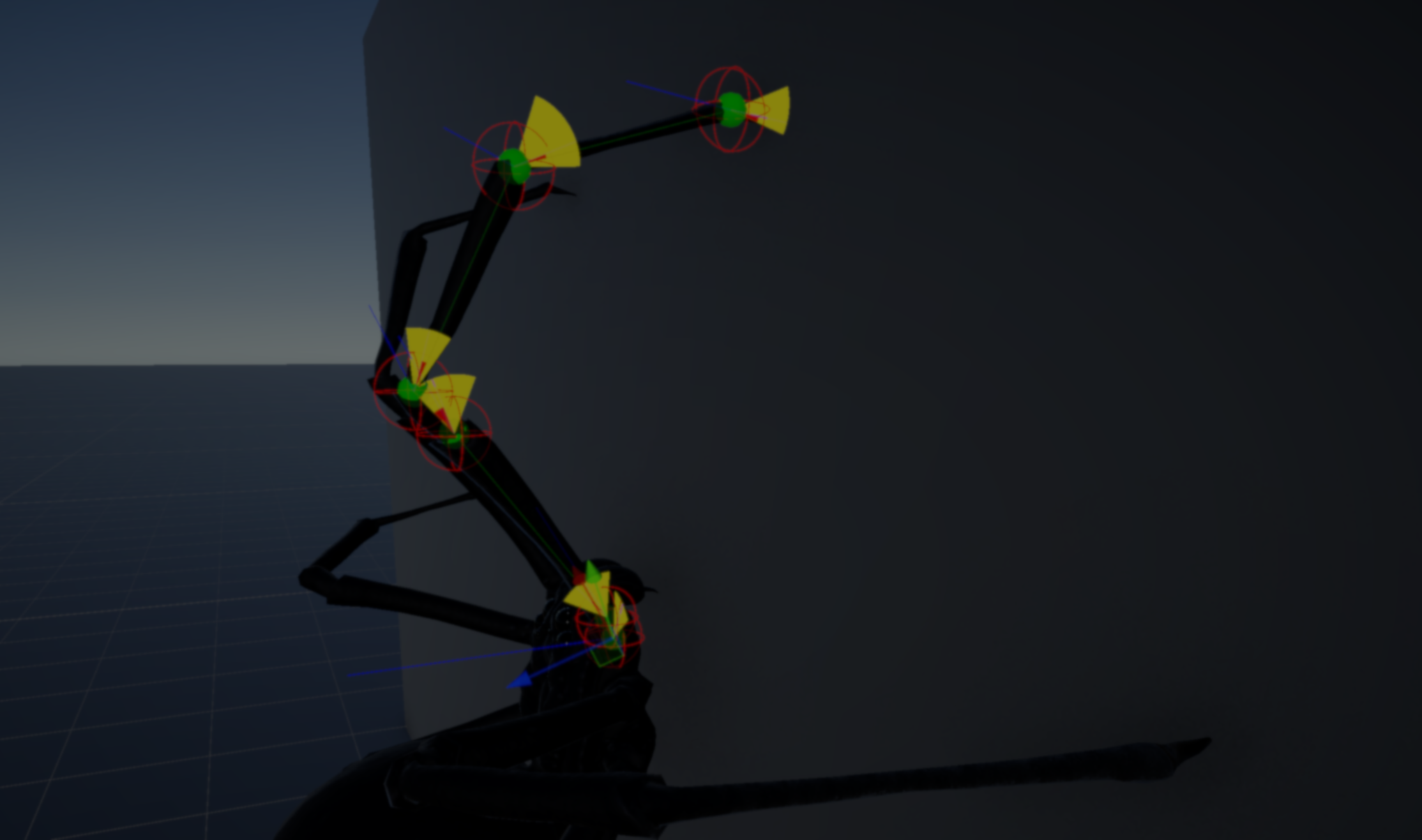
Indie developer Arachnid-dev made this procedural spider animation for their unannounced co-op horror game, where players have to explore quarantined buildings while avoiding hostile creatures.
The spider does not use any baked animations. Every movement comes from code, using inverse kinematics, raycasts, and some rules to decide how and where each leg should move.
As you know, a spider can walk on floors, walls, ceilings, and corners, so pre-made animations do not really work here. The idea is to have something that adapts to any surface, without repeating the same motion over and over.
Each leg is built as a chain of joints with rotation limits. To move the leg, the system uses an IK solver, which rotates each joint until it reaches a target position. The tricky part here is deciding where that target should be.
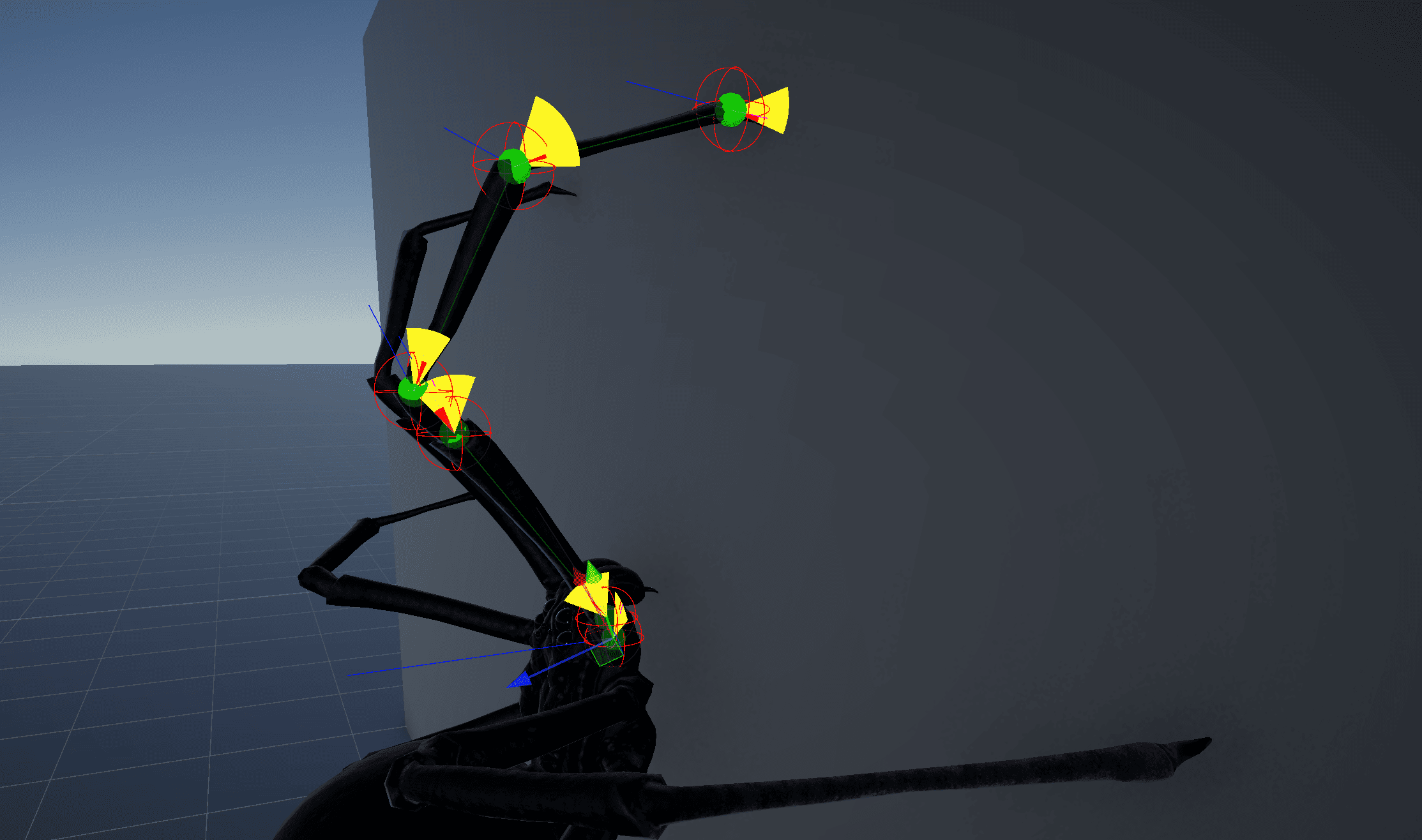
To figure out where it can move, the system needs to read the environment, for this, it uses spheres cast in two directions, one going down to find the ground, and one going forward to detect walls.
// Detect surface (wall or ground)
private GroundInfo GroundDetection()
{
    if (isWallWalking)
    {
        if (Physics.SphereCast(transform.position, r1, transform.forward, out hitInfo))
        {
            return new GroundInfo(GroundType.Wall, hitInfo.normal);
        }
        else if (Physics.SphereCast(transform.position, r2, -transform.up, out hitInfo))
        {
            return new GroundInfo(GroundType.Ground, hitInfo.normal);
        }
    }

    return new GroundInfo(Vector3.up);
}
And how does it stay attached? There is fake gravity aligned to the surface normal, so the spider sticks to whatever it is walking on.
Since each leg is always trying to reach its target, if the body moves too far and the leg can not reach it, then it understands that it needs to step. But spiders do not move all legs at once, do they?
For that there are a couple of rules to keep things natural:
- Nearby legs do not step at the same time
- The legs are split into two groups that move in turns.
When a leg is allowed to step, the system needs to find a new position, it starts from a base position for that leg and pushes it forward a bit depending on where the spider is moving.
Then it sends multiple raycasts in different directions to find a valid surface, and if something is hit, that becomes the new target.
// Find valid surface for next step
private IKTargetInfo FindTargetOnSurface()
{
    foreach (var cast in casts)
    {
        if (cast.CastRay(out hitInfo))
        {
            return new IKTargetInfo(hitInfo.point, hitInfo.normal);
        }
    }

    return GetDefaultTarget();
}
This allows the spider to place its legs correctly even on corners, slopes, or uneven geometry.
Once all the legs have their positions, the body has to match them. The height of it comes from averaging the leg positions, the rotation follows the surface they form, and small offsets smooth everything out so the body does not snap or feel disconnected.
void StabilizeBody()
{
    float avgHeight = Average(legTargets);
    Vector3 normal = ComputeNormal(legTargets);

    body.position.y = SmoothDamp(body.position.y, avgHeight);
    body.rotation = AlignTo(normal);
}
As the creator says it, all of this makes the spider able to walk on any surface, react to the environment, and keep moving without repeating the same motion.
If you want to see more from Arachnid-dev and their project, you can find their links right below.
Interested in learning more?
If you’re interested in the technical side of Unity? The Unity Dev Bundle brings together six books covering shaders, math, procedural shapes, editor tools, and character customization.
This is for developers and technical artists who want to build a stronger foundation and work with more advanced graphics and systems in their projects.
Getting into the technical side in Unity? 👀 Our six-book bundle covering shaders, math, animation, and tools is back for a limited time! ✨
— Jettelly Inc. (@jettelly) April 2, 2026
Check it out: https://t.co/hXakjJfm72#unity3d #gamedev #indiedev pic.twitter.com/zGQYT5da5M
Jettelly wishes you success in your professional career!
Did you find an error? No worries!
Write to us at [email protected], and we'll fix it!

Level up your Unity skills our new six-books bundle!
We invite you to explore "The Unity Dev Bundle", a comprehensive bundle on the concepts and fundamentals seen in this post.
Other posts that might interest you.
-
 Anvil CSG lets you shape levels in a four-view editor and build them into Unity maps. Simun Dev shares how feedback from beta testers helped the tool grow.
 -
 Johann Hotzel built a free Unity library that cuts holes into meshes while a game is running. In his demo, the collider changes too, so shots can pass through.
 -
 Silk & Sorrow's trees and trash piles seem to have height, but they are made from sprites. Florian Heynen of Snowberry Games made the effect by stacking, moving and lighting those layers in Godot.
